Downloading Valorant on macOS is not straightforward — there is no native Mac client. Riot Games built Valorant exclusively for Windows, largely because its Vanguard anti-cheat software requires kernel-level access that macOS does not permit. That said, Mac players have real, working options: Intel Mac owners can install Windows via Boot Camp and run Valorant at full performance, while Apple Silicon (M1, M2, M3, M4) users can stream the game through cloud gaming services such as GeForce NOW. This guide walks through both paths.
What you need to know before you start
Valorant requires Windows and will not run under macOS directly. The Vanguard anti-cheat system needs deep access to the operating system that Apple does not expose to third-party software. Virtual machines such as Parallels also fail for the same reason — Vanguard detects the virtualization layer and blocks the game from launching. The two paths that genuinely work are:
- Boot Camp — installs a full copy of Windows on a separate partition of an Intel Mac. Valorant then runs natively in Windows at full speed.
- Cloud gaming (GeForce NOW / Boosteroid / Shadow) — a Windows server in the cloud runs Valorant and streams the video to your Mac browser or app. Works on every Mac including Apple Silicon models.
How to download and play Valorant on a Mac
-
Step 1: Understand the macOS compatibility situation
Riot Games has never released a Mac version of Valorant and has not announced plans to do so. The official system requirements list only Windows 10 and Windows 11. If you visit playvalorant.com on a Mac, the download button still exists, but the installer will refuse to run on macOS. This is not a technical limitation that can be worked around with Wine or Rosetta — it is an intentional restriction enforced by Vanguard.
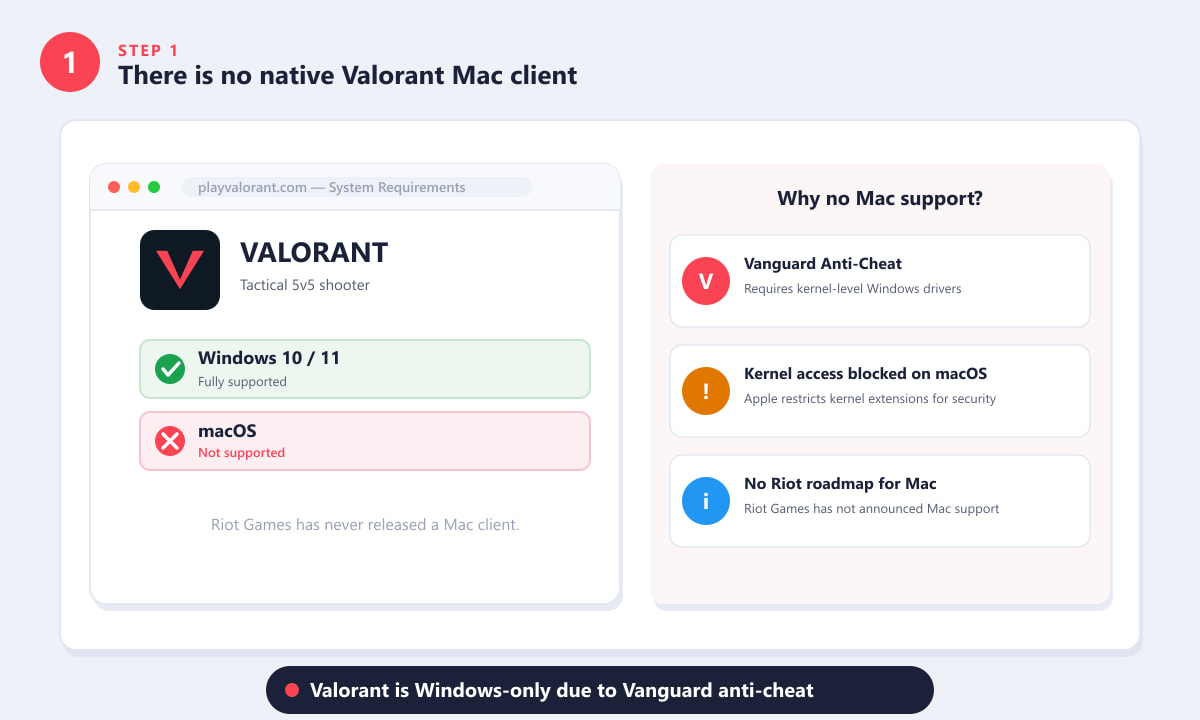
The Valorant website confirms Windows-only support. Vanguard's kernel requirements block a native Mac release. -
Step 2: Check your Mac chip — Intel or Apple Silicon
Which workaround you can use depends entirely on what chip is inside your Mac. Click the Apple menu in the top-left corner, choose About This Mac, and look at the Chip row. If it says Intel Core i5, i7, or i9, you can use Boot Camp. If it says Apple M1, M2, M3, or M4, Boot Camp is not available and you will need the cloud gaming route instead.
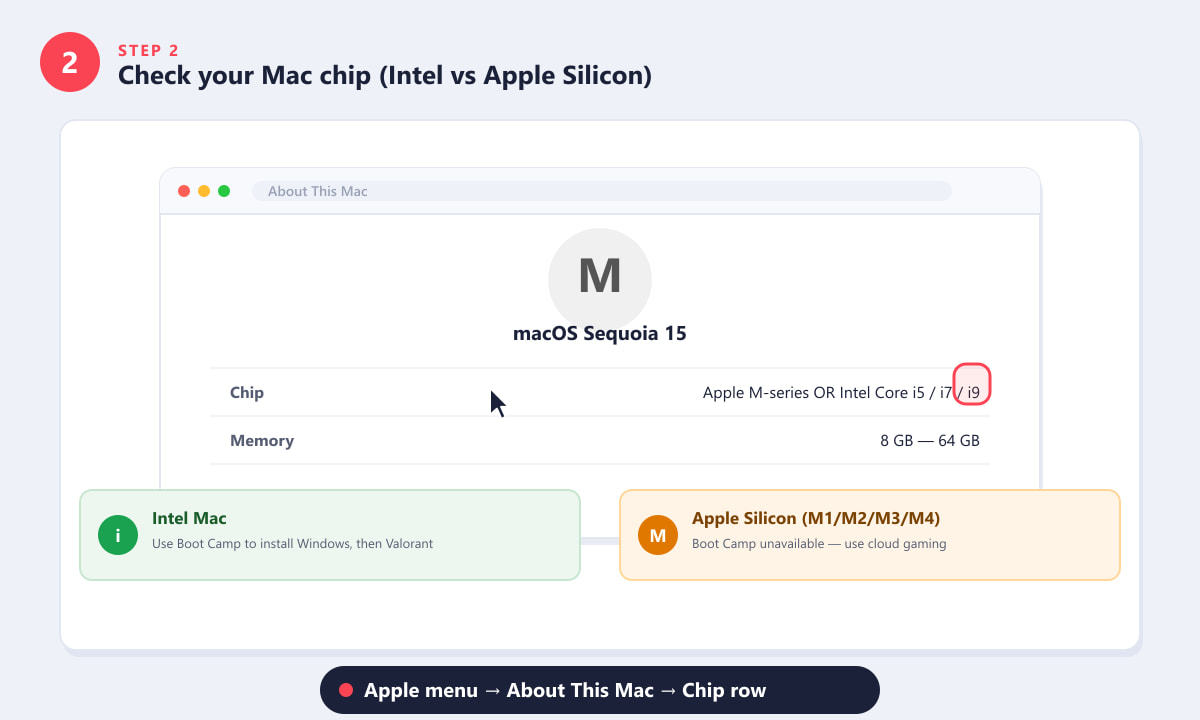
Apple menu → About This Mac → Chip row tells you which path to follow. -
Step 3: Intel Mac — install Windows with Boot Camp
Boot Camp Assistant is a built-in macOS app that partitions your SSD and installs Windows alongside macOS. You will need a Windows 10 or 11 ISO (free from Microsoft's website), a 16 GB or larger USB flash drive, and at least 64 GB of free disk space for the Windows partition. Open Boot Camp Assistant from Spotlight, follow the on-screen wizard to create the partition and copy the Windows installer, then restart. Your Mac will boot into the Windows setup process. Once Windows is installed, hold the Option (⌥) key at startup to choose which OS to boot into. Note that Boot Camp is only available on Intel Macs running macOS Ventura or earlier — it was removed from macOS Sonoma.
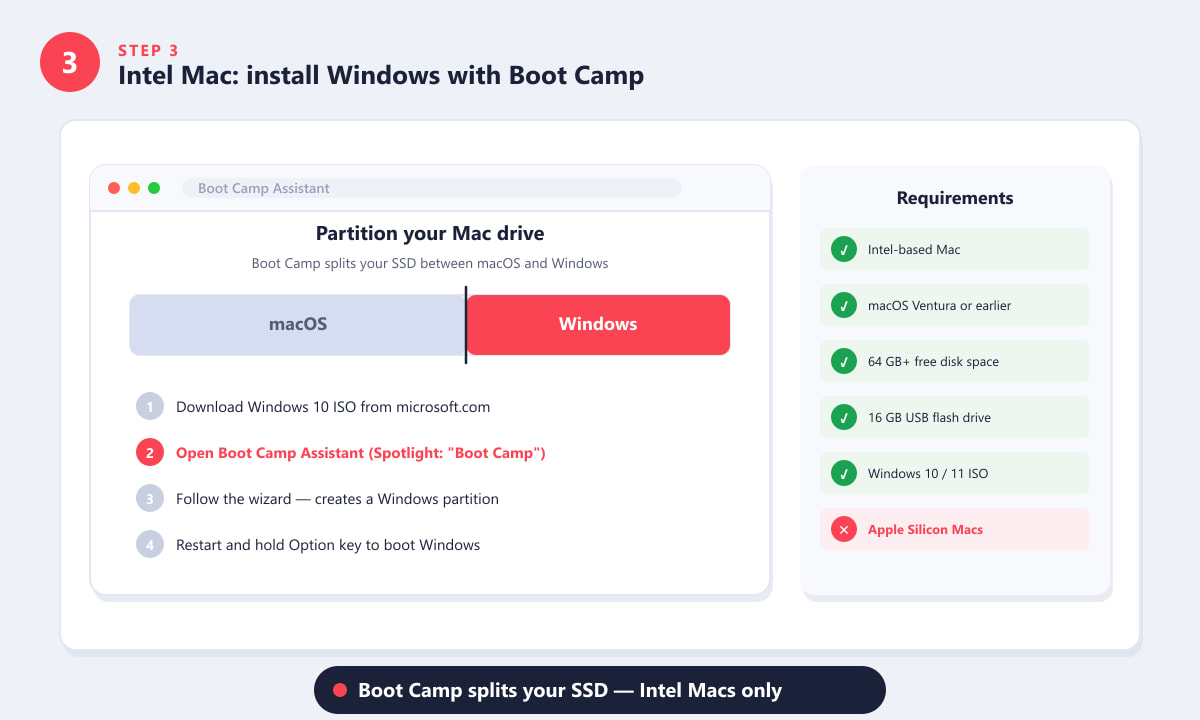
Boot Camp splits your drive into macOS and Windows partitions — available on Intel Macs only. -
Step 4: Download and install Valorant in Windows
Once you are inside Windows via Boot Camp, open a browser and go to playvalorant.com. Click Download to get the Riot Client installer. Run the installer, sign in with your Riot Games account (create one for free if you do not have one), and the Riot Client will automatically download and install both Valorant and Vanguard. The full download is around 16–20 GB, so allow time on a fast connection. When the installation finishes, click PLAY in the Riot Client to launch the game. Because you are running genuine Windows on the actual Intel hardware, Vanguard has no issues and performance is equivalent to a Windows PC.
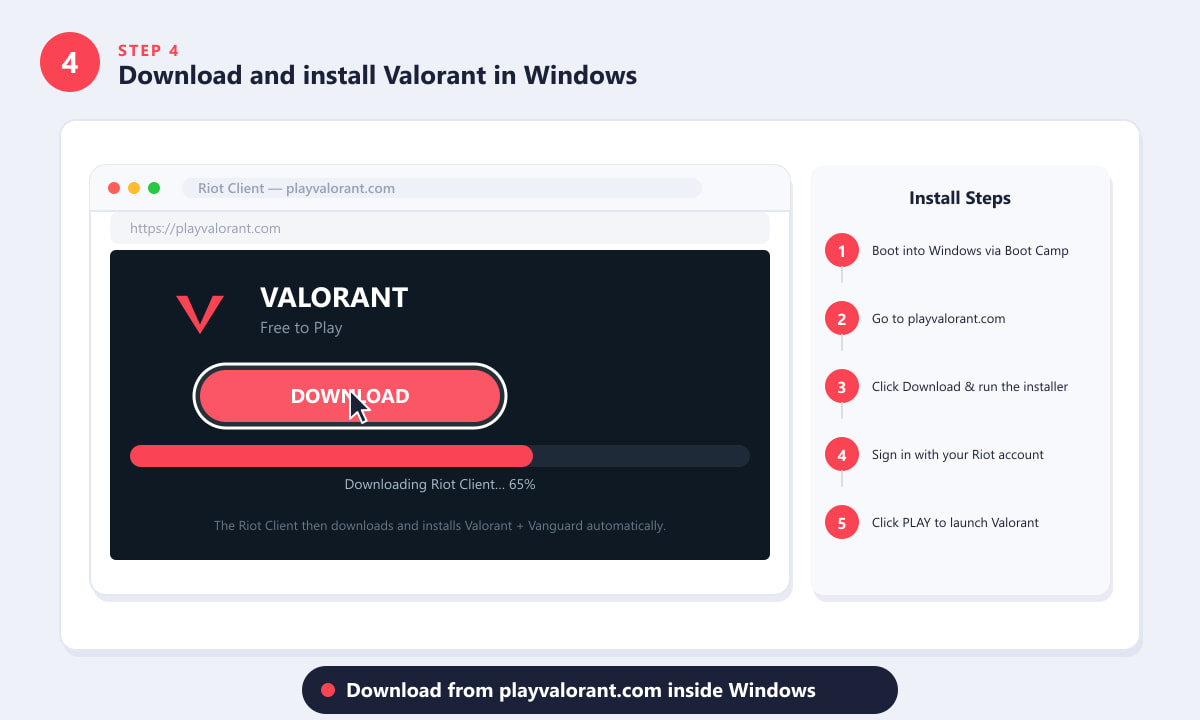
Inside Windows, go to playvalorant.com, click Download, and the Riot Client handles the rest. -
Step 5: Apple Silicon — stream Valorant via cloud gaming
If you have an M-series Mac, your best option is NVIDIA GeForce NOW, which runs a Windows instance with Valorant installed on a remote server and streams the gameplay to your Mac. Sign up at geforcenow.com — there is a free tier with limited session lengths, or you can subscribe for priority access and higher frame rates. Search for Valorant, click Play, and sign in with your Riot account when prompted. Your existing rank, skins, and progress carry over because it is the same account. Input latency is the main trade-off; a wired ethernet connection or strong Wi-Fi gives the best experience. Boosteroid and Shadow (a full cloud Windows PC) are alternative services worth comparing if GeForce NOW is not available in your region.
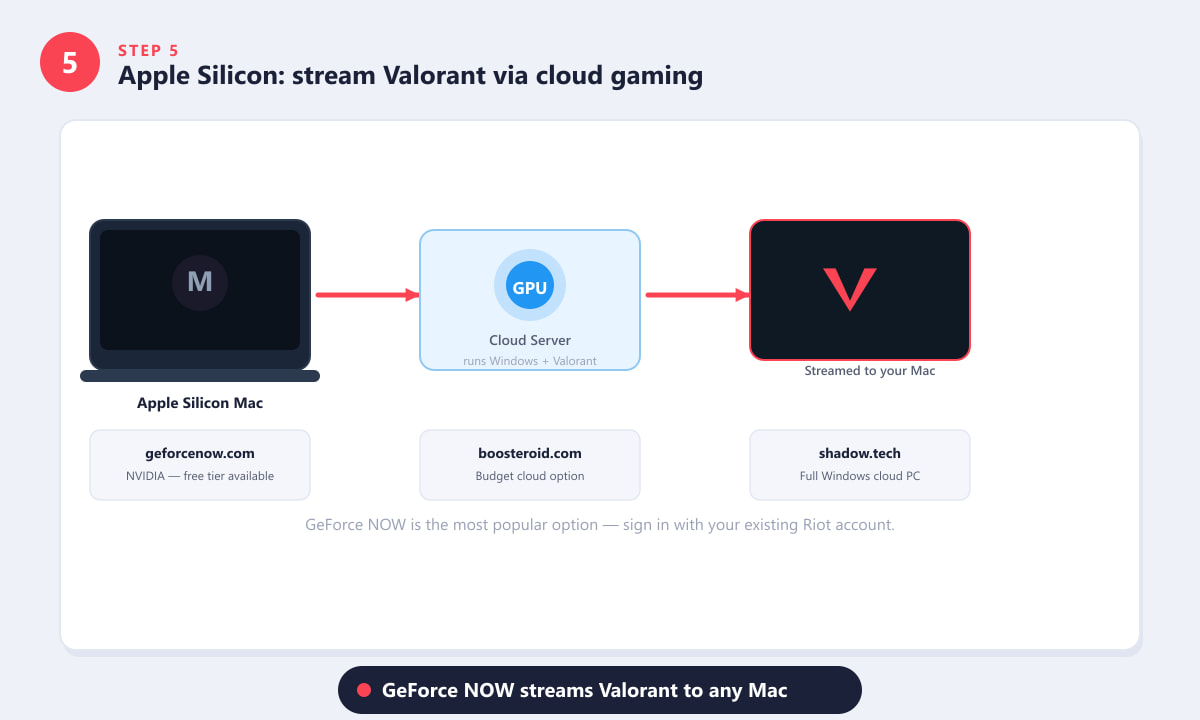
Cloud gaming services run Valorant on a Windows server and stream it to any Mac — no local install needed.
Tips for the best experience
- Boot Camp users: install the Boot Camp Support Software (offered automatically during setup) to get proper drivers for your Mac's trackpad, keyboard brightness, and fans. Without them, Windows runs hot and the trackpad feels sluggish.
- Storage: give Windows at least 80–100 GB if you can spare it — Windows itself takes around 20 GB, Valorant around 20 GB, and Windows updates eat more over time.
- Cloud gaming: a connection of at least 15 Mbps is recommended for 1080p play; 30 Mbps or more is comfortable for competitive sessions. Use an ethernet cable if possible.
- Existing Riot account: your rank, inventory, and settings follow you whether you play through Boot Camp or a cloud service — everything lives on Riot's servers.
- GeForce NOW free tier limits sessions to 1 hour before you need to restart the queue. The Priority or Ultimate tiers remove this restriction and add RTX graphics.
Troubleshooting
Valorant crashes immediately on startup in Boot Camp
This usually means Vanguard detected an issue. Make sure you booted fully into Windows (not a VM), that Secure Boot is enabled, and that TPM 2.0 is active. Restart the machine entirely and try again before reinstalling.
GeForce NOW says Valorant is not available in my library
You need a Riot Games account that owns Valorant (having played it at least once). If you have never played Valorant before, create a free Riot account on playvalorant.com first and complete the initial setup on any Windows machine or through another cloud service.
Boot Camp partition is greyed out or missing
Boot Camp was removed from macOS Sonoma. If your Intel Mac is running Sonoma or later, you cannot use Boot Camp. Consider downgrading macOS (if your hardware allows) or switching to the GeForce NOW cloud route.
Frequently asked questions
Can you download Valorant on a Mac?
There is no native Mac download. You can run Valorant on an Intel Mac by using Boot Camp to install Windows, or on any Mac by streaming it through a cloud gaming service like GeForce NOW.
Does Valorant work on Apple Silicon Macs (M1, M2, M3, M4)?
Not natively, and Boot Camp is unavailable on Apple Silicon. The practical option is a cloud gaming service — GeForce NOW is the most straightforward because it supports your existing Riot account.
Why doesn't Valorant support macOS?
The Vanguard anti-cheat requires kernel-level access to monitor processes and prevent cheating. Apple does not allow third-party software to install kernel extensions in the same way Windows does, so a native Mac release is not technically feasible under Riot's current anti-cheat design.
Can I use Parallels or CrossOver to run Valorant on Mac?
No. Vanguard detects virtualization and hypervisor environments and refuses to run inside them. This blocks Parallels, VMware Fusion, CrossOver, and similar tools.
Is cloud gaming good enough for competitive Valorant?
It depends on your connection. Many players compete comfortably on GeForce NOW with a stable ethernet connection. Input delay of 20–40 ms is typical on a local server, which is acceptable for casual and ranked play, though professionals on LAN play at sub-10 ms.
Wrapping up
Valorant will not run on macOS directly, but that does not mean Mac owners are locked out. Intel Mac users who install Windows via Boot Camp get the full, uncompromised experience at native frame rates. Apple Silicon users can start playing immediately through GeForce NOW without any local installation at all. Either way, your Riot account, rank, and skins carry over seamlessly.