Changing your scenery in Clash of Clans gives your village a completely different look — a new sky, ground texture, and environment — without touching a single building. The option is tucked inside the in-game Settings menu, and switching between sceneries you already own is completely free. This guide walks you through the full process in five straightforward steps.
What is Scenery in Clash of Clans?
Scenery is the background theme of your Home Village (and Clash of Clans's other villages). It changes the sky color, the ground tiles, the vegetation style, and the ambient feel of your base — without affecting your buildings, troops, or any gameplay systems. Every player starts with the default Home Village scenery for free. Additional sceneries such as Winter, Pirate, Jungle, and others can be unlocked through the in-game Shop using Gems, or earned during limited-time seasonal events at no cost.
Before you start
- The Clash of Clans app updated to a recent version (iOS or Android).
- At least one scenery already unlocked — the default scenery counts, so everyone can use these steps right away.
- Optional: Gems if you want to purchase a new scenery from the Shop.
How to change your scenery in Clash of Clans
-
Step 1: Open the Settings menu
Launch Clash of Clans and go to your Home Village. Tap the gear icon in the lower-left corner of the screen to open the Settings panel. The gear is always visible on the main village view — you do not need to be in any special mode to find it.
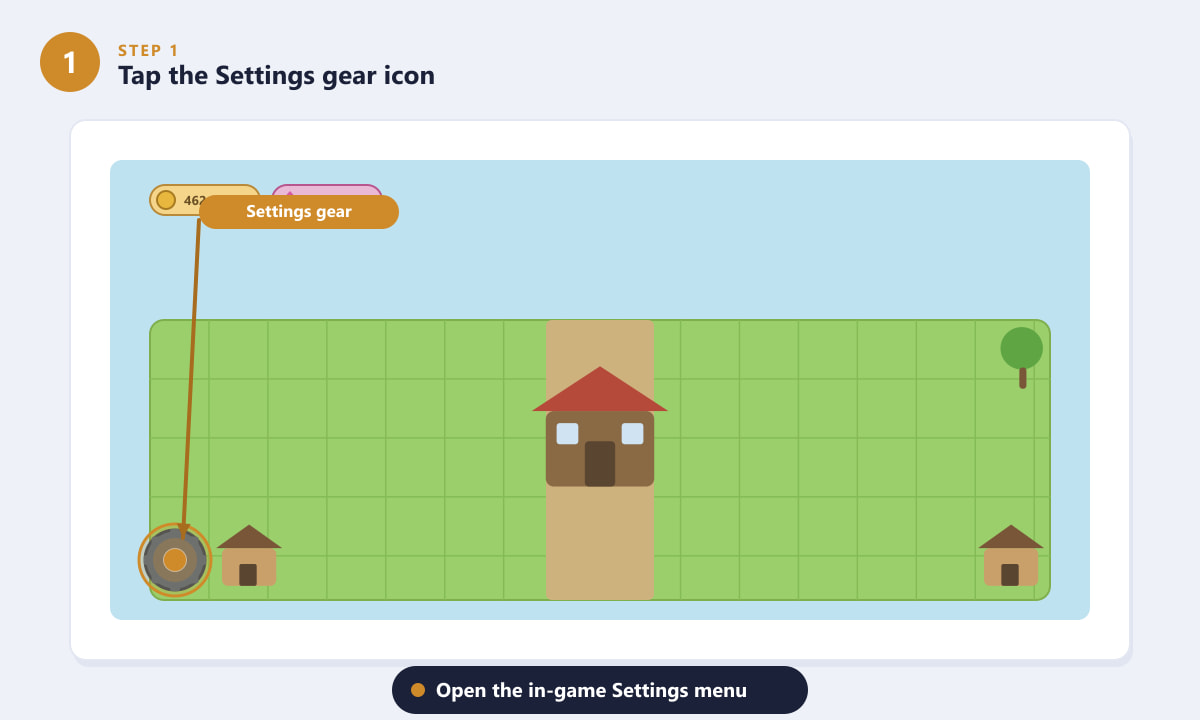
The gear icon sits in the bottom-left corner of your Home Village screen. -
Step 2: Tap "Change Scenery"
Inside the Settings panel, scroll down the list until you see the Change Scenery option. It is usually just below the Music and Sound Effects controls. Tap it to open the scenery selection screen.
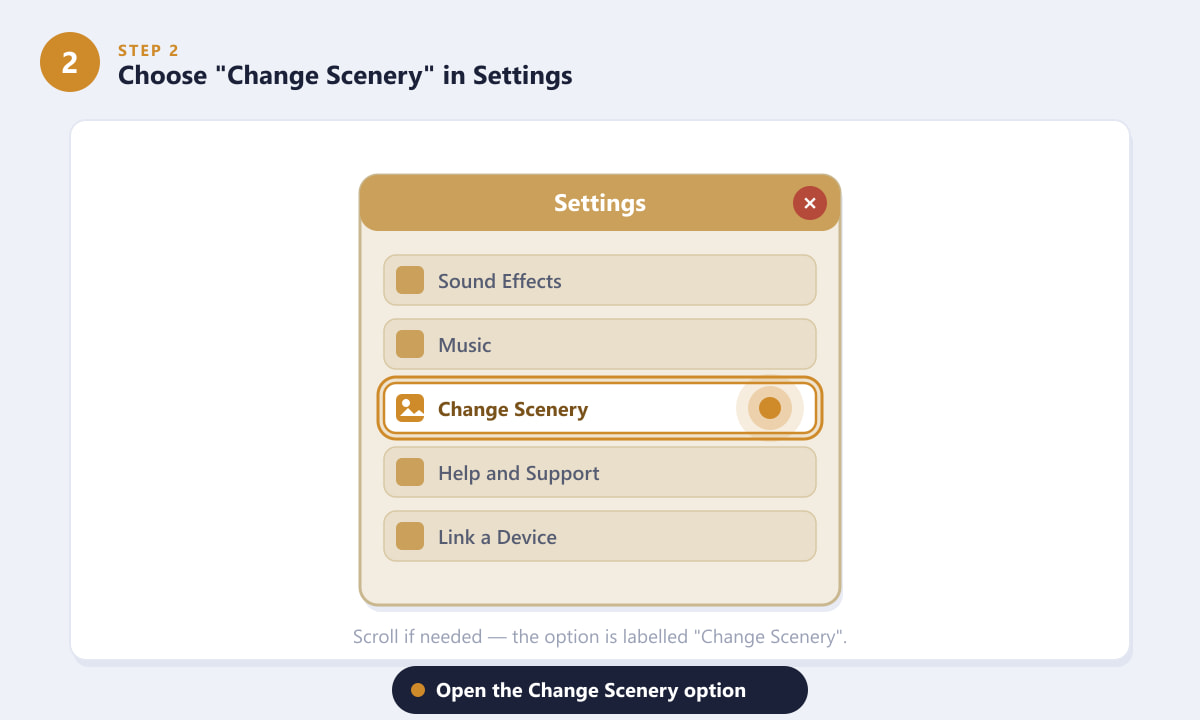
Look for "Change Scenery" in the Settings list, below the audio controls. -
Step 3: Browse available sceneries
The Change Scenery screen displays a gallery of scenery thumbnails. Sceneries you already own — including the default one — can be applied immediately at no cost. Sceneries you do not yet own are tagged with a Shop badge, indicating you need to visit the Shop to acquire them. Limited-time and seasonal sceneries may also appear here if they were previously unlocked through events.
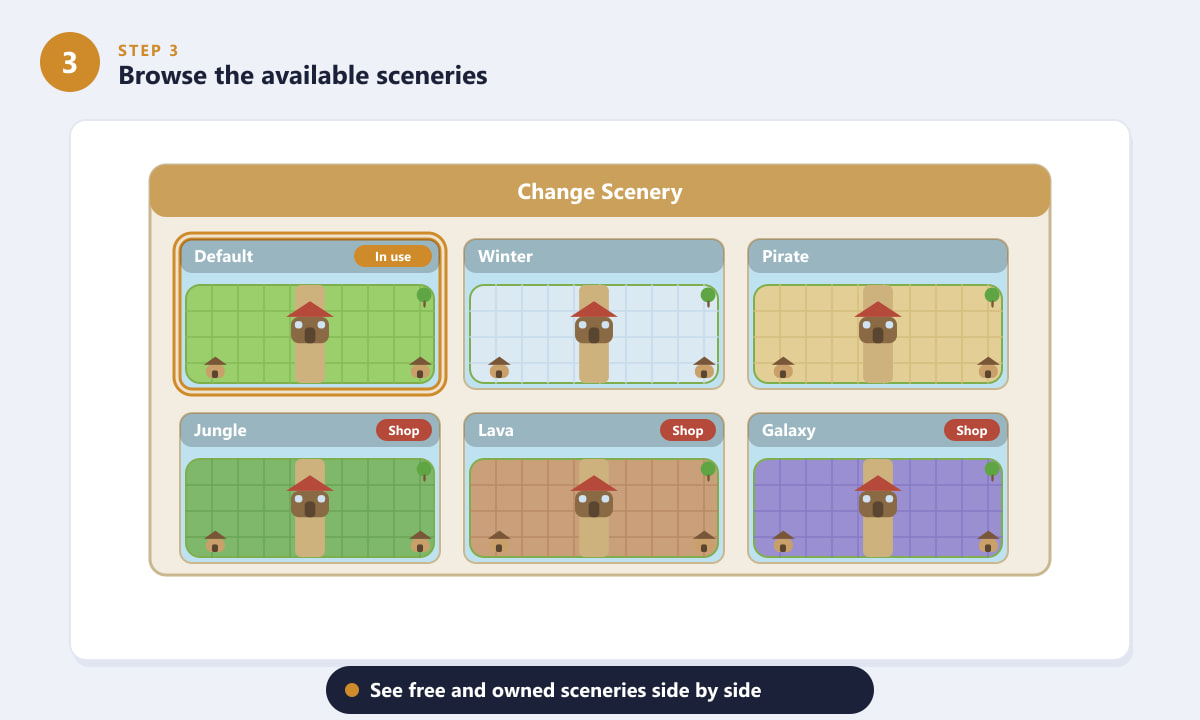
Owned sceneries are ready to apply; those tagged "Shop" need to be purchased first. -
Step 4: Select and apply your chosen scenery
Tap any scenery thumbnail to highlight it. Then confirm your choice by tapping the Apply (or Use) button that appears. The change takes effect immediately — you will see your village background update in real time without needing to restart the game. You can switch back to any other owned scenery the same way, as many times as you like.
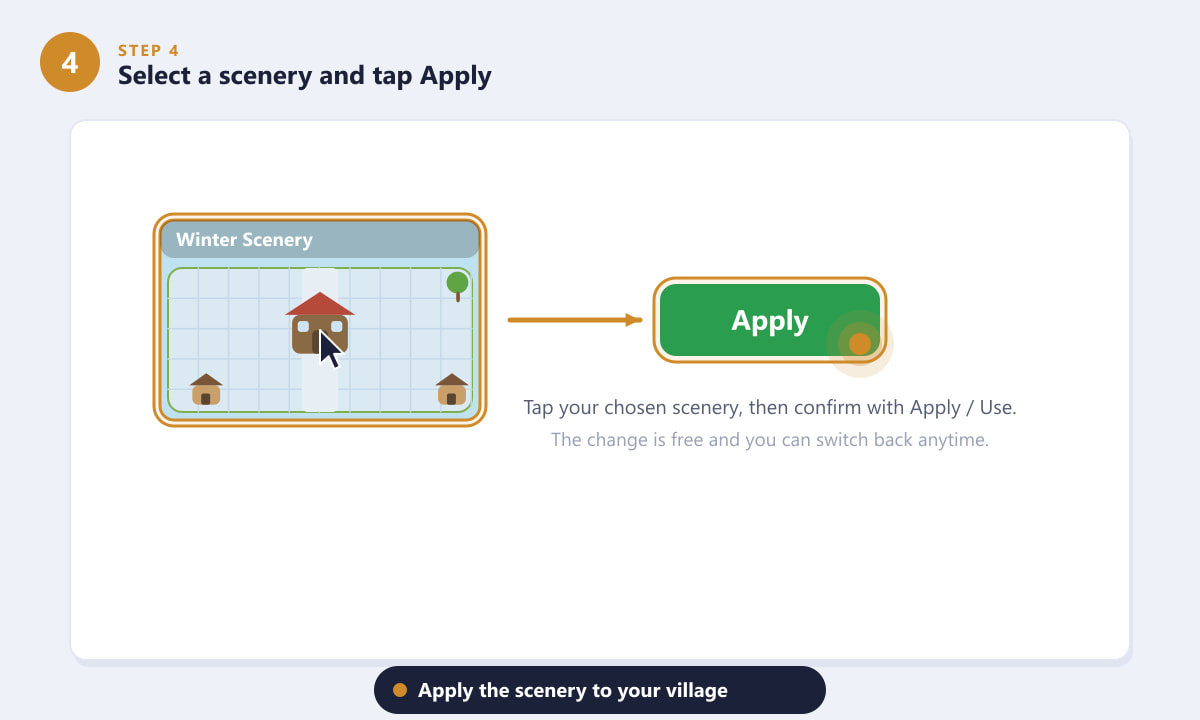
Tap your preferred scenery and confirm with the Apply button — the village updates instantly. -
Step 5: Get more sceneries from the Shop (optional)
If you want a scenery you do not own yet, head to the in-game Shop. Most premium sceneries cost 500 Gems each, and they are permanent purchases — once bought, you own them forever and can switch to them any time for free. Keep an eye on seasonal events too, as Supercell periodically offers limited-time sceneries as free event rewards.
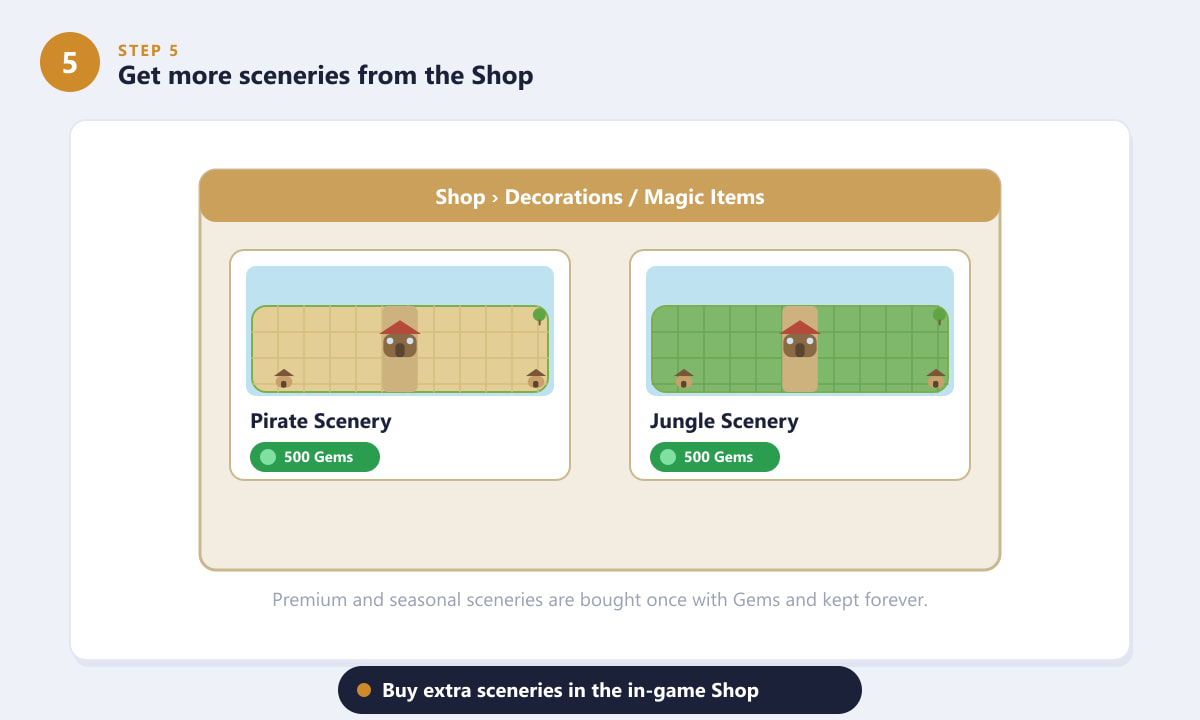
Premium sceneries in the Shop cost Gems and are kept permanently once purchased.
Tips for getting the most out of scenery
- Switching is always free. Once you own a scenery, flipping between it and any other owned scenery costs nothing — so do not hesitate to rotate them with the seasons or your mood.
- Event rewards are the best value. Clash of Clans runs seasonal events (holidays, anniversaries, collaborations) that sometimes include a limited-time scenery as a free prize. Complete event challenges to earn them without spending Gems.
- Scenery affects only visuals. Your troops, heroes, defenses, and resource collection are completely unaffected, so changing scenery carries zero gameplay risk.
- Builder Base has its own scenery options. If you spend time on the Builder Base, check its Settings menu separately — the scenery systems for Home Village and Builder Base are independent.
- Save Gems for sceneries you love. At 500 Gems each, sceneries are one of the better cosmetic investments since they are permanent and visible to every visitor who scouts your base.
Troubleshooting
I can't find the "Change Scenery" option in Settings
Make sure you are in the Home Village view, not the Builder Base or Clan Capital. The Settings gear opens different panels depending on which village you are currently viewing. Switch to your Home Village and tap the gear again.
The scenery I want shows a "Shop" badge and I don't have enough Gems
You can earn free Gems by clearing obstacles (trees, bushes, rocks) from your village, completing achievements, and participating in events. Alternatively, you can purchase Gems in-game. If budget is a concern, wait for a seasonal event that might offer the scenery you want as a reward.
My scenery changed back to default after an update
This is rare but can happen. Simply open Settings, tap Change Scenery, and reapply your preferred background. Any sceneries you previously purchased or unlocked will still be in your collection.
Frequently asked questions
Is changing scenery in Clash of Clans free?
Switching between sceneries you already own is completely free and can be done as often as you want. Acquiring new premium sceneries from the Shop costs Gems (typically 500 per scenery), but limited-time event sceneries can sometimes be earned for free.
How do I get the Winter or Pirate scenery in Clash of Clans?
Premium sceneries like Winter or Pirate are available for purchase in the in-game Shop for 500 Gems each. Occasionally, Supercell offers special sceneries as free rewards during seasonal events — so checking the event tab regularly is worthwhile.
Does scenery affect gameplay or my base layout?
No. Scenery is a pure visual change. It does not alter building placement, troop stats, resource collection, or any other gameplay mechanic. Other players attacking your base will see your chosen scenery as the background.
Can I change the scenery on my Builder Base too?
Yes. The Builder Base has its own scenery system. While you are in the Builder Base view, tap the gear icon there to access its Settings menu, where you will find its own Change Scenery option separate from the Home Village.
Will I lose a scenery if I stop playing and come back?
No. Purchased and event-earned sceneries are permanently attached to your account. They will be waiting in your collection even if you take a long break from the game.
Wrapping up
Changing your scenery in Clash of Clans takes less than a minute once you know where the option lives. Open the Settings gear, tap Change Scenery, pick from your collection, and hit Apply — your village will look brand new instantly. Keep an eye on seasonal events for free scenery unlocks, and visit the official Clash of Clans page to stay up to date on the latest content drops.