Knowing where to buy League of Legends accounts can save you hours of leveling time and help you avoid scams. Whether you want a fresh level-30 account on a new server, a smurf to practice in lower ranks, or a pre-loaded account stacked with champions and Blue Essence, this guide walks you through every option — from the official, completely free Riot Games route to the best third-party marketplaces and the safety steps you must follow before handing over any money.
What you need to know first
A standard League of Legends account is free through Riot Games, but it takes roughly 150–200 games to reach Level 30, which is required for Ranked play. Players who want to skip that grind — or who want a clean account on a specific server — often look to third-party account marketplaces. These sites are not officially endorsed by Riot, and selling or buying accounts does violate Riot's Terms of Service, so the purchased account can be suspended if Riot detects unusual activity. Weigh that risk before you buy, and always use buyer-protected payment methods.
How to buy a League of Legends account
-
Step 1: Create a Free Riot Games Account (Official Route)
The simplest way to get a League of Legends account is to create one for free directly through Riot Games. Go to leagueoflegends.com, click Play for Free, and sign up with your email address. You pick your Summoner Name, download the Riot Client, and start playing immediately — no purchase required. This route has zero risk of a ban and your account is fully yours from day one. The only downside is the time investment: reaching Level 30 for Ranked, and then buying champions with Blue Essence, takes weeks of regular play.
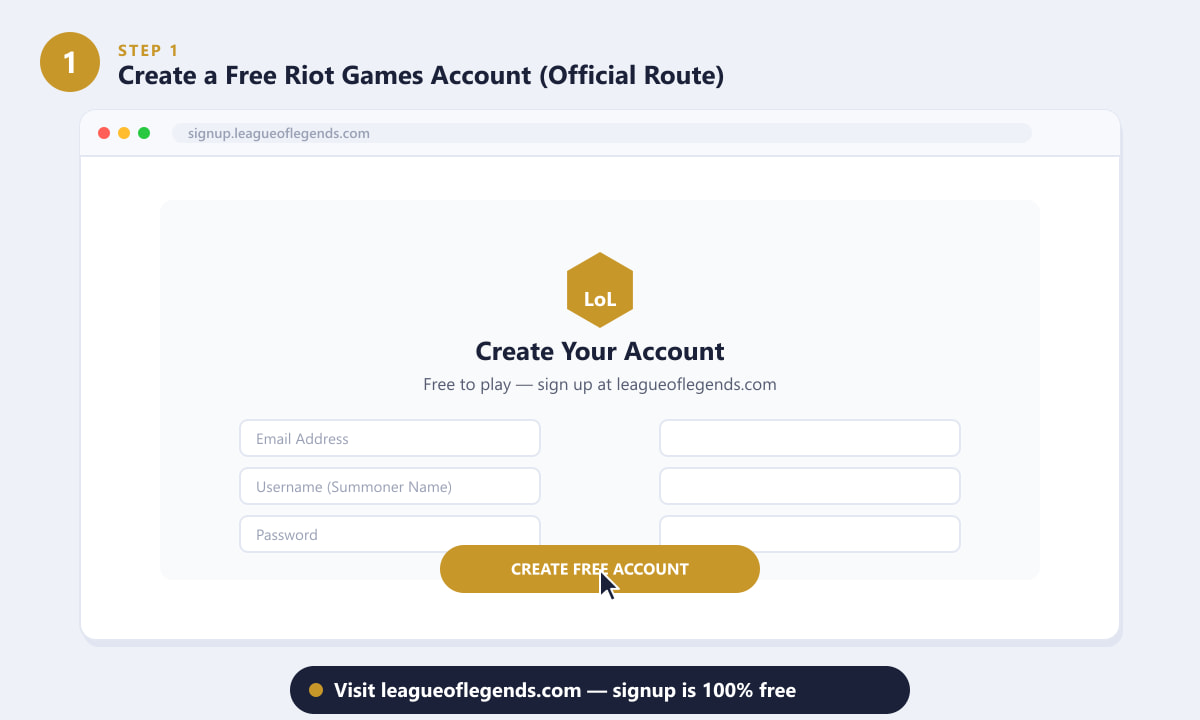
Riot's signup page — creating an account is always free and takes under two minutes. -
Step 2: Browse Trusted Third-Party Marketplaces
If you want a pre-leveled or champion-loaded account right now, third-party marketplaces are where most players go. The most widely used platforms include G2G (a large peer-to-peer marketplace), PlayerAuctions (escrow-protected transactions), and Eldorado.gg (a dedicated gaming account market). Each site lists hundreds of League of Legends accounts sorted by server, level, champion count, and price. Compare listings carefully: prices for a basic Level 30 unranked account typically range from $5 to $20 USD, while accounts with large champion pools, rare skins, or gold/platinum rank history cost significantly more. Always use the platform's built-in filtering to find accounts on your correct server (NA, EUW, EUNE, KR, BR, etc.).
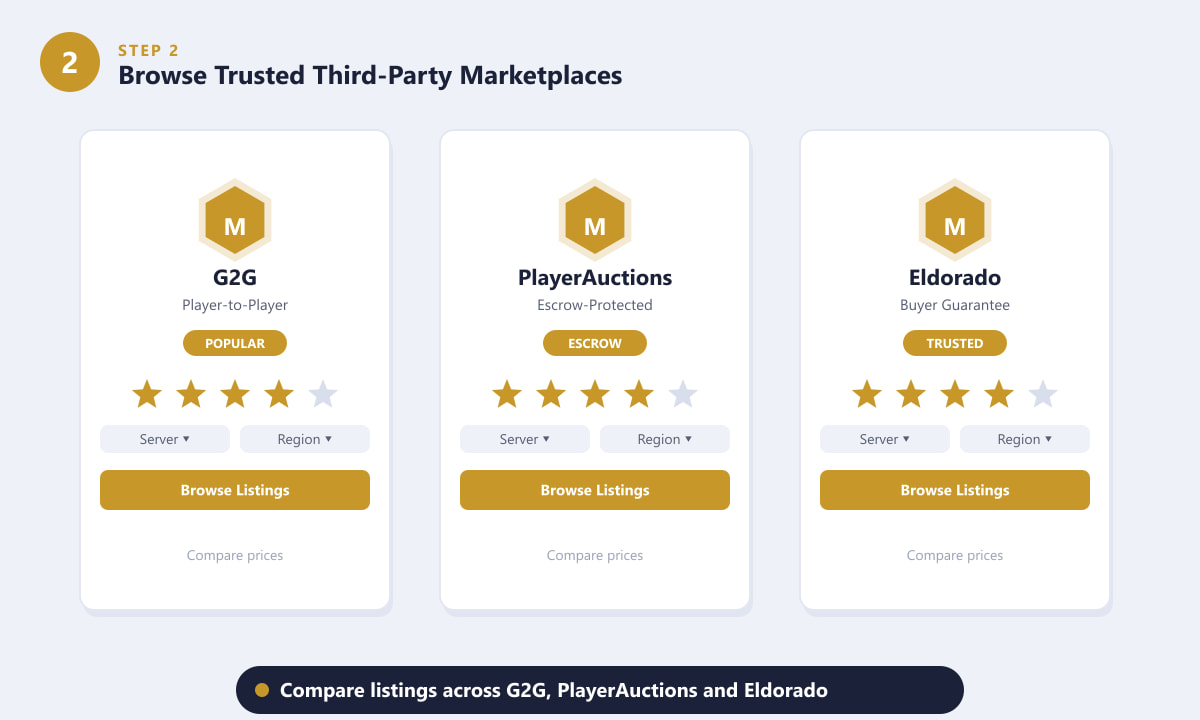
G2G, PlayerAuctions, and Eldorado are three of the most-used platforms for buying LoL accounts. -
Step 3: Check What the Account Includes
Before you commit to any listing, read the account details carefully. A trustworthy listing will specify the account's level (you want Level 30 or higher for Ranked access), the number of champions unlocked, the current rank or "unranked clean" status, the server region, the Blue Essence balance, and — critically — whether email access is included. Email access is essential: it allows you to change the Riot account email to your own address, lock out the original owner, and bind the account securely to yourself. If a listing does not mention email access, ask the seller directly before paying. Also look for any mention of a previous permanent ban on the account; a single note of "no ban history" or "clean" is a good sign.
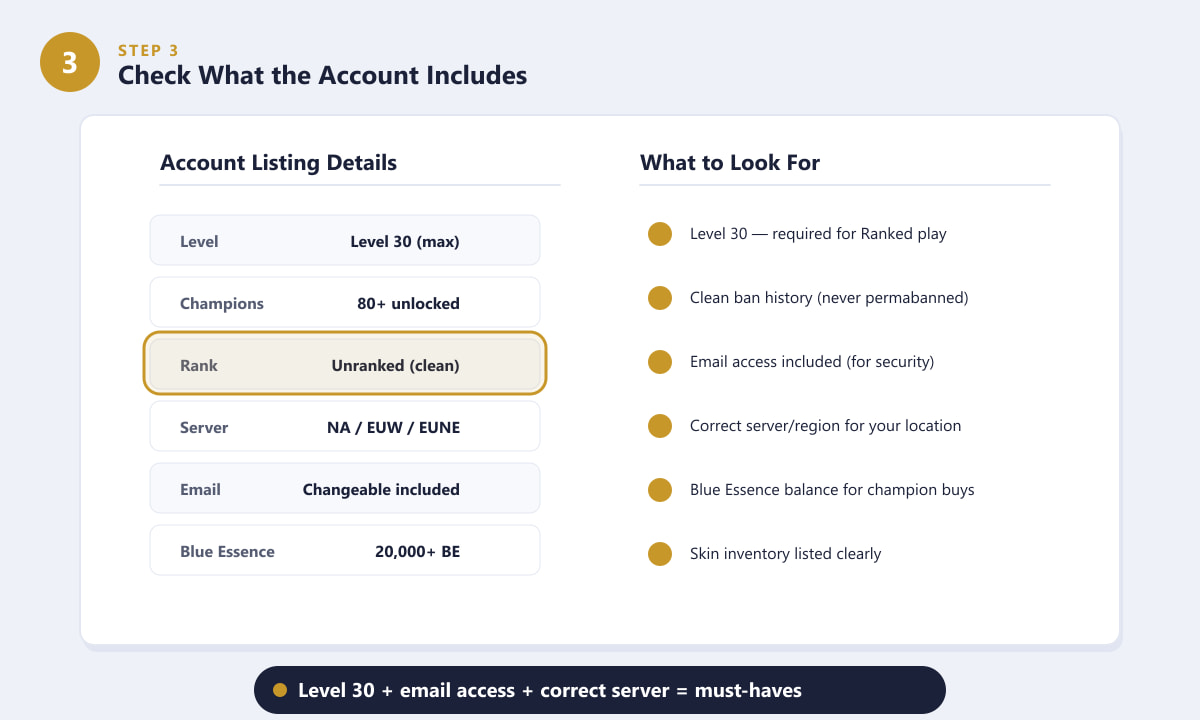
Level 30, email access, and the correct server are the three non-negotiable details to verify. -
Step 4: Verify the Seller's Reputation
On any marketplace, spend two minutes checking the seller's history before you pay. Look for a seller with at least 50 completed transactions and a rating of 4.5 stars or higher. Read recent reviews specifically — not just the overall score — and check for comments about delivery speed, account quality, and how the seller responded to any problems. Verified or "identity-checked" seller badges on platforms like PlayerAuctions and G2G add another layer of trust. Avoid sellers with fewer than 10 reviews, any recent negative feedback about accounts being reclaimed or banned, or prices that seem unrealistically low.
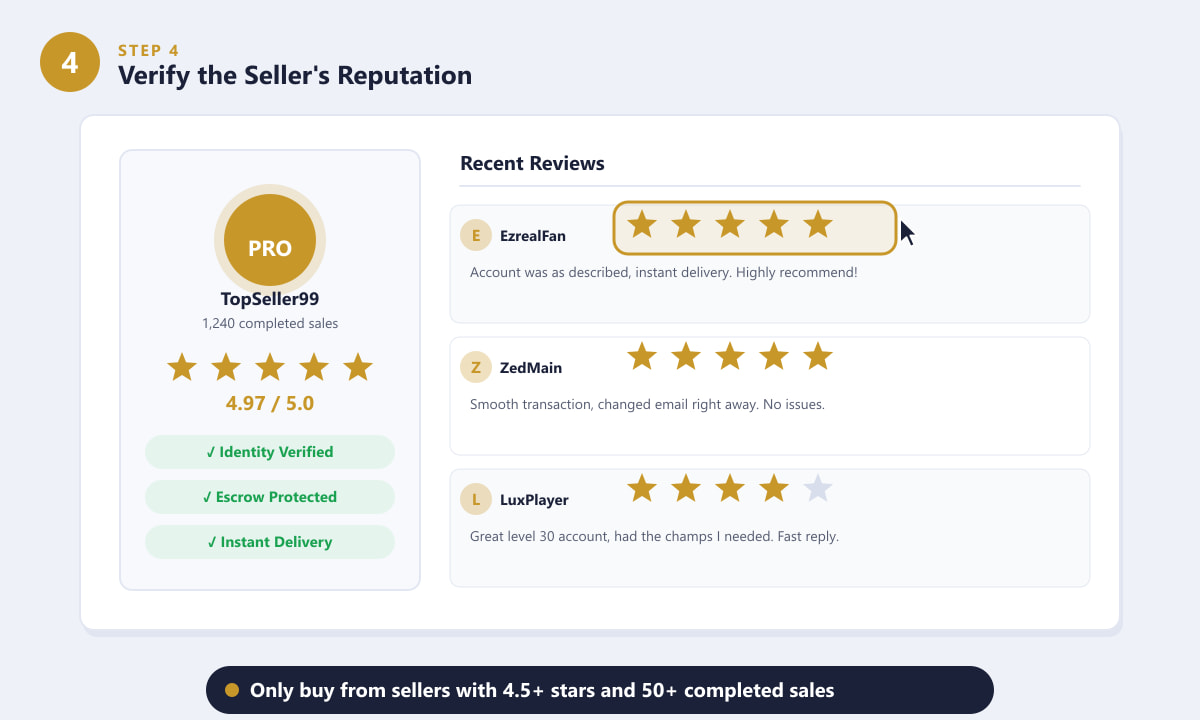
Check for 50+ completed sales and 4.5+ stars — and read the actual review text, not just the score. -
Step 5: Complete the Purchase Safely
Once you have found a reliable listing from a reputable seller, follow these steps to protect yourself through and after the transaction. Pay using the platform's escrow system or a payment method with buyer protection such as PayPal — never send cryptocurrency or gift cards, as those are irreversible. After you receive the account credentials (email address, username, and password), change the account password immediately before doing anything else. Then go into the Riot account settings and update the linked email address to one you own. Finally, enable two-factor authentication on your Riot account. These three steps — new password, new email, 2FA — make it extremely difficult for the original seller to reclaim access.
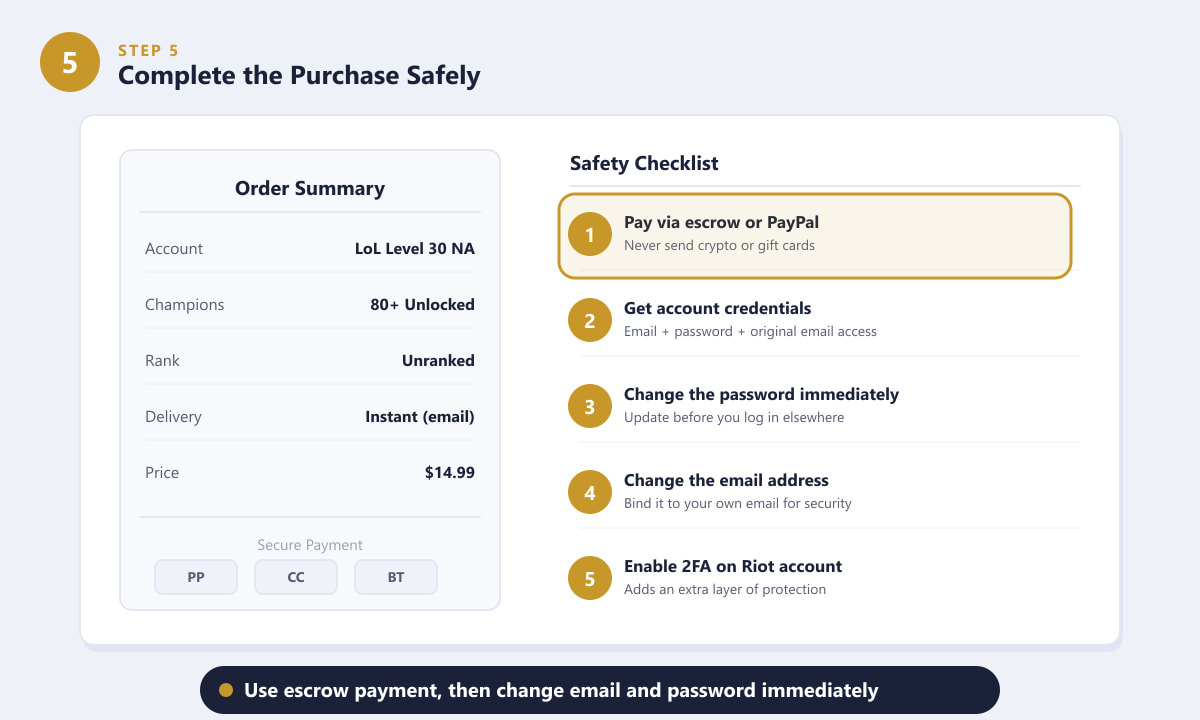
Pay with escrow or PayPal, then change the password and email before you play a single game.
Tips for buying a LoL account
- Match the server to your location. Buying a cheap EUW account when you live in North America means playing on 100+ ms ping. Always filter by the server closest to you.
- Unranked is usually better than a pre-ranked account. A fresh unranked account lets you be placed fairly by the new-season calibration games. A previous ranked history can drop you into a rank that doesn't reflect your current skill.
- Check the champion pool, not just the count. "80 champions unlocked" is useful only if those include champions you actually play. Some listings specify the roster; others don't — ask the seller if it matters to you.
- Set a budget. A reliable Level 30 unranked NA account costs $8–$18. If a listing is $3, ask yourself why — rushed-leveling services sometimes use bots, and bot-leveled accounts carry higher ban risk.
Troubleshooting
The account was banned after I bought it
First, contact the seller immediately. Reputable sellers on platforms like PlayerAuctions and G2G often offer a warranty period (7–30 days) that covers bans occurring shortly after purchase. If the platform used escrow, open a dispute through the marketplace before the funds are released. Going forward, avoid logging into the account from multiple locations in the same day, as that behavior can flag accounts for review.
The seller gave me wrong login details
Do not release escrow payment until you have confirmed the credentials actually work. If you already paid outside of escrow and the details don't work, use the marketplace's dispute system or file a chargeback through PayPal — which is one more reason to never use non-reversible payment methods.
I can't change the account email
Riot requires you to verify the current email before changing it. If the original email was not included in the sale, contact the seller and ask for access to that inbox. If they refuse, it is a strong sign the listing was misleading — open a dispute immediately.
Frequently asked questions
Is it legal to buy a League of Legends account?
Purchasing a LoL account is not illegal, but it does violate Riot Games' Terms of Service. Riot may ban accounts they detect as bought or sold. The risk exists, though many players buy and play accounts for years without issue.
What is the best site to buy a League of Legends account?
G2G, PlayerAuctions, and Eldorado.gg are consistently recommended by the community for their volume of listings, seller rating systems, and buyer protection features. Always use a platform's escrow system regardless of which site you choose.
How much does a Level 30 LoL account cost?
A basic unranked Level 30 account on a major server typically costs between $8 and $20 USD. Accounts with large champion pools, rare skins, or prior ranked history sell for $20–$100 or more.
What should I do right after buying a LoL account?
Change the password first, then update the linked email to one you own, and finally enable two-factor authentication on your Riot account. These three steps secure the account against being reclaimed by the seller.
Can a bought account be banned?
Yes. Riot can ban accounts that were leveled by bots, accounts with flagged trading history, or accounts where Riot detects a Terms of Service violation. Buying from established sellers with good reviews reduces (but does not eliminate) this risk.
Final thoughts
If you just want to play League of Legends for free and don't mind the leveling grind, the official Riot Games account is always the safest and most secure option. If you need a pre-leveled account quickly — on a new server, with a specific champion pool, or to smurf — G2G, PlayerAuctions, and Eldorado.gg are the platforms most players trust. Whichever route you take, prioritize email access in any listing, pay with buyer-protected methods, and secure your credentials immediately after the sale.