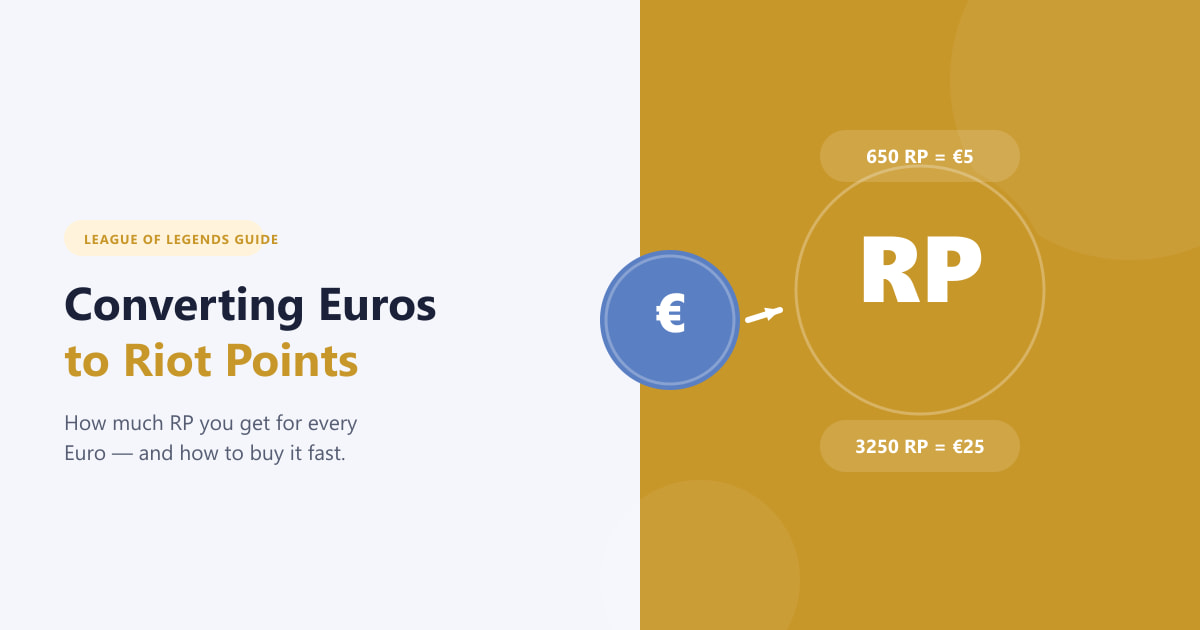
Converting Euros to Riot Points is straightforward once you know where to look in the League of Legends client. Riot Games sells RP in fixed bundles tied to Euro amounts — you pick the bundle that suits your budget, pay through the in-client store, and the points land in your account within seconds. This guide walks you through every step, explains what each Euro gets you, and covers the most common payment options available in Europe.
What you need to know before you buy
Riot Points (RP) are the premium currency used across all Riot Games titles. In League of Legends you spend them on champions, skins, accessories, and other cosmetic content. RP is not earned through gameplay — it must be purchased. The price per RP is fixed by Riot and bundled in tiers: the larger the bundle, the slightly better the value you get per Euro. Prices shown in-client already include VAT for most EU countries, but they can vary slightly by country due to local tax rates. If you are unsure of the exact amount, always check the client's current bundle screen before purchasing.
How to convert Euros to Riot Points — step by step
-
Step 1: Open the League of Legends client and go to the RP store
Launch the League of Legends client and log in to your account. At the top of the client interface you will see a navigation row with tabs including Home, Champions, Skins, and Accessories. Click the Riot Points tab, or look for the gold + Buy RP button in the upper-right corner of the client and click it. Both options take you directly to the RP purchase screen.
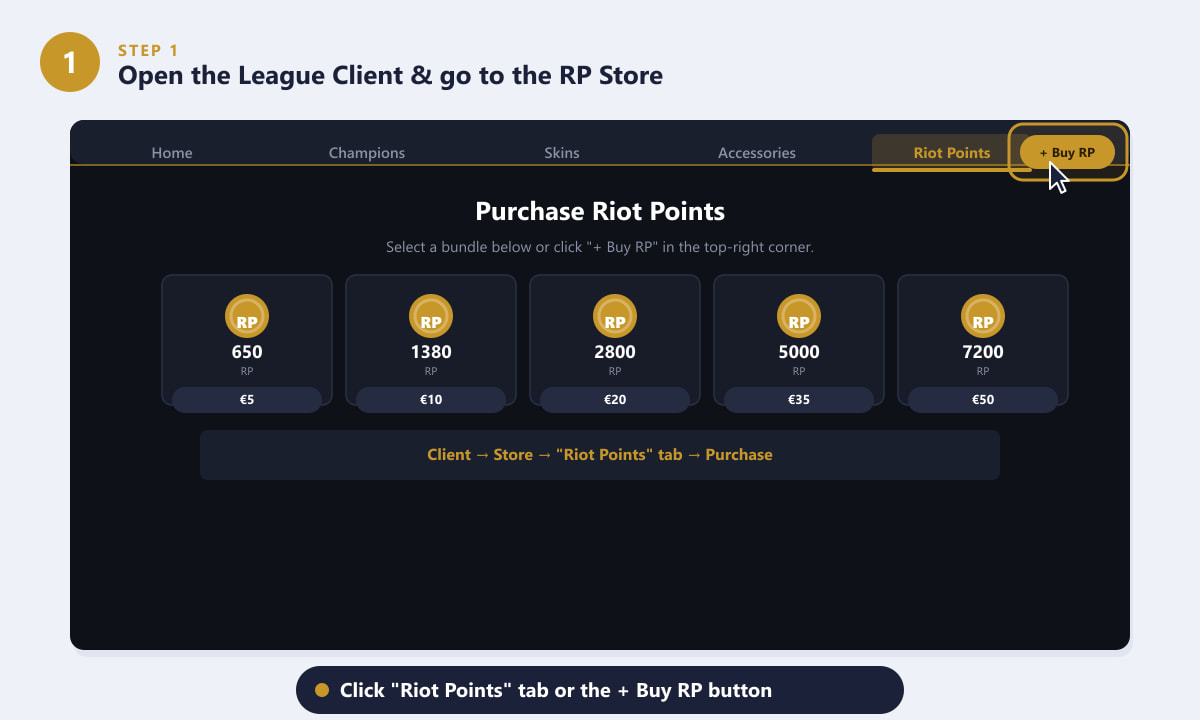
Click the Riot Points tab or the + Buy RP button in the top-right corner of the League client. -
Step 2: Choose your Euro / RP bundle
The store shows a range of RP bundles. Each card displays the RP amount you receive and its Euro price. Common tiers for European players include bundles starting around €5 for roughly 650 RP up to €50 for roughly 7,200 RP — larger bundles give you slightly more RP per Euro spent, so they offer better value if you plan to make several purchases. Click the bundle you want to highlight it; a summary showing the exact Euro cost and RP amount will appear before you proceed.
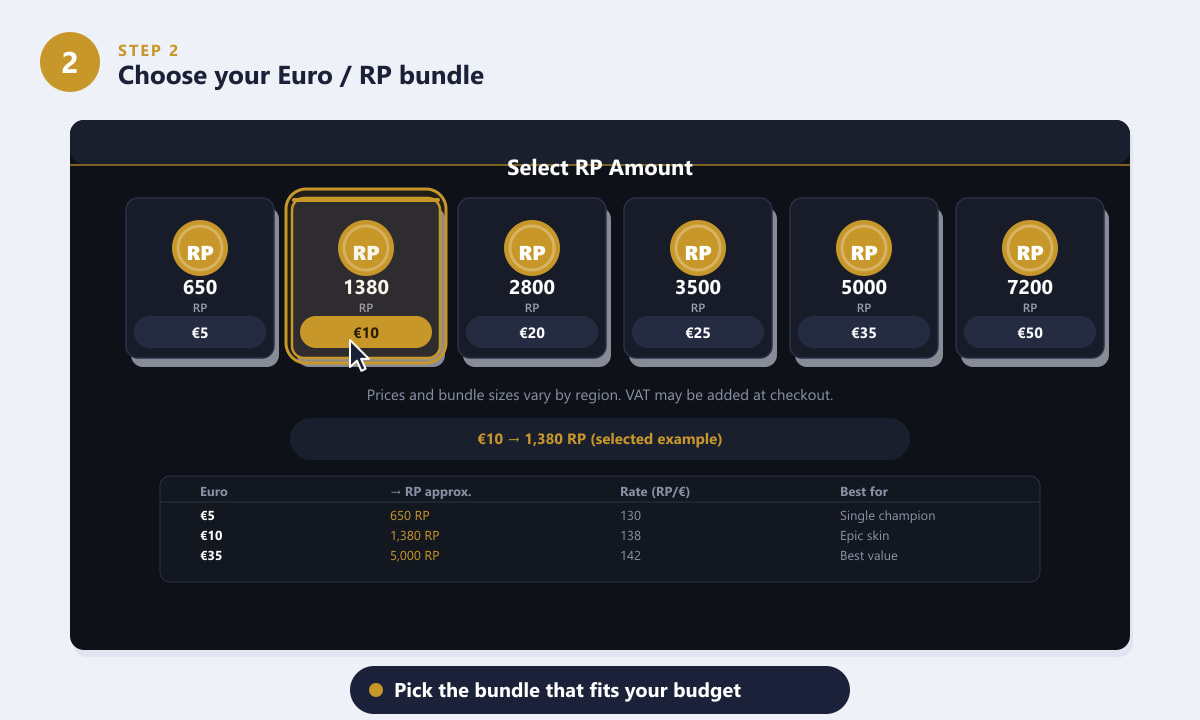
Select a bundle — larger bundles give slightly more RP per Euro spent. -
Step 3: Select your payment method
After choosing a bundle, the client prompts you to pick a payment method. Available options for EU players typically include credit and debit cards (Visa, Mastercard, American Express), PayPal, Paysafecard (a prepaid voucher sold at convenience stores and petrol stations), and official Riot Games gift cards. Choose the method that suits you best and click Continue. If you are using a gift card or Paysafecard, you will be asked to enter the code on the back of the card at this stage.
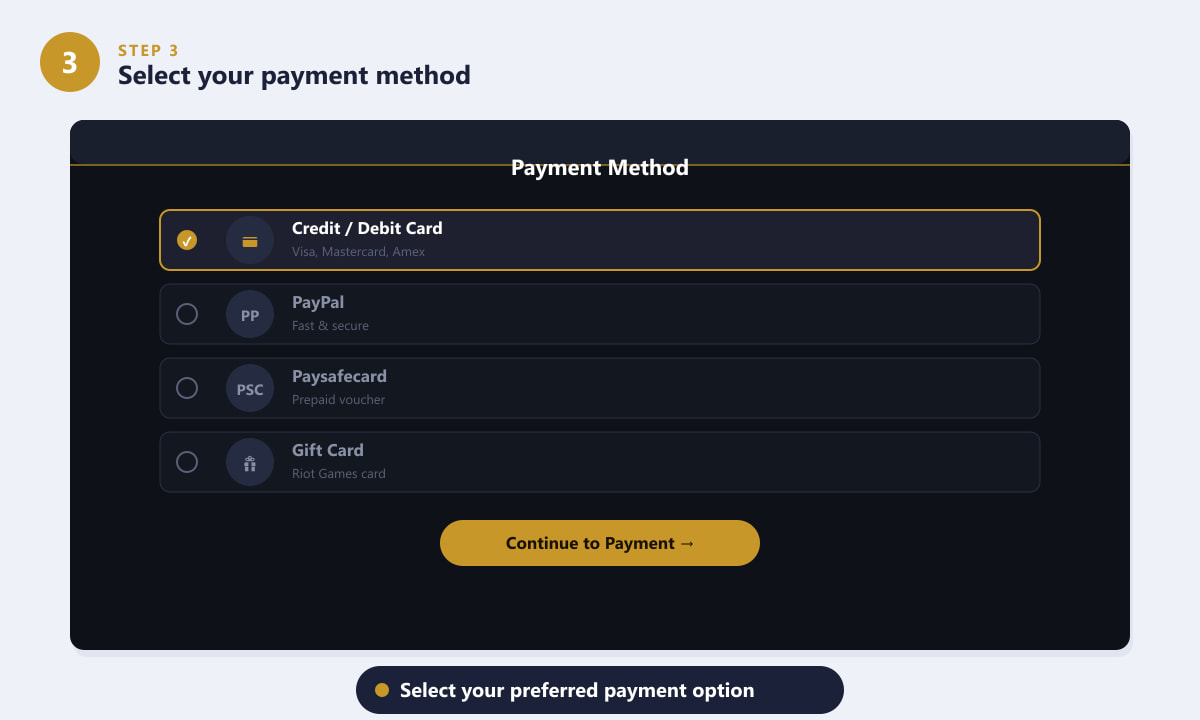
Choose from cards, PayPal, Paysafecard, or Riot Games gift cards. -
Step 4: Enter your payment details and confirm the purchase
Fill in the required payment details on the secure checkout screen — typically your card number, expiry date, and CVC, or your PayPal login. An order summary shows the exact RP bundle and its Euro price before you commit. Review it carefully, then click Confirm & Pay. The transaction is processed by Riot's secure payment system, and your RP balance is credited to your account almost immediately after a successful payment.
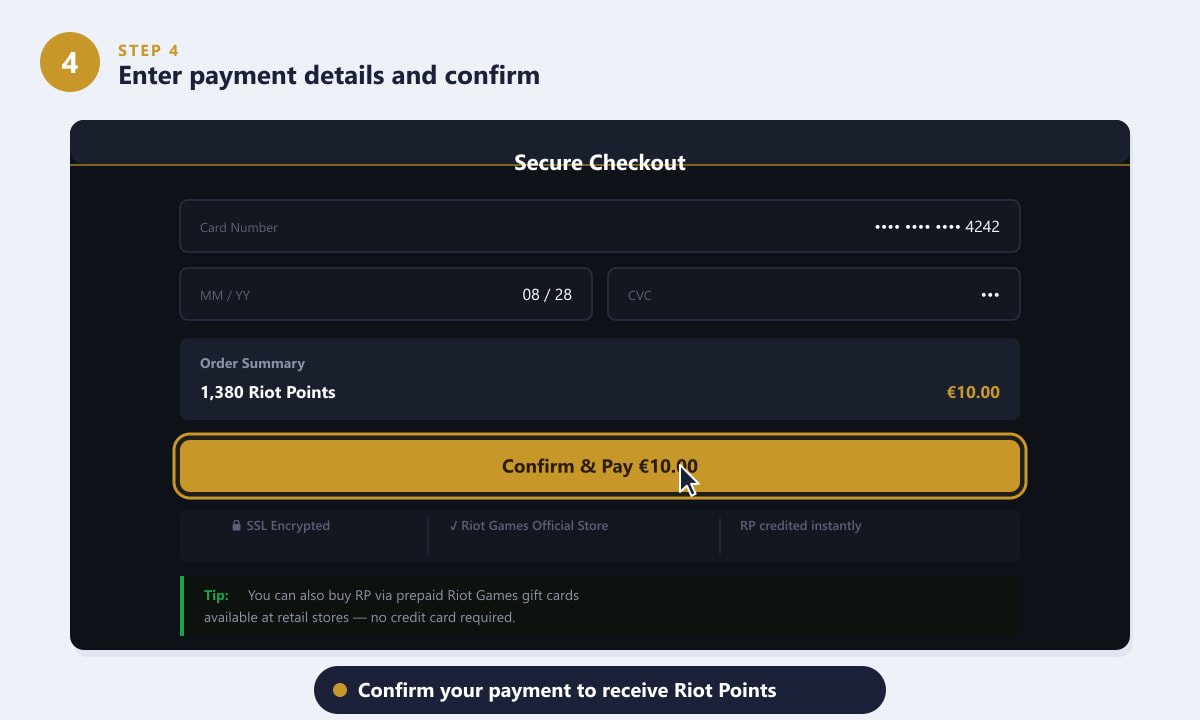
Review the order summary and confirm payment to receive your Riot Points. -
Step 5: Check your updated RP balance in the client
Once the payment succeeds you will see a confirmation message and your new RP total in the top-right corner of the League client. The RP is credited instantly and is ready to spend straight away — no waiting, no redeeming codes. Navigate to the Champions or Skins tab to start shopping. Your purchase history is also available in your account settings on the Riot Games support site if you ever need to review a transaction.
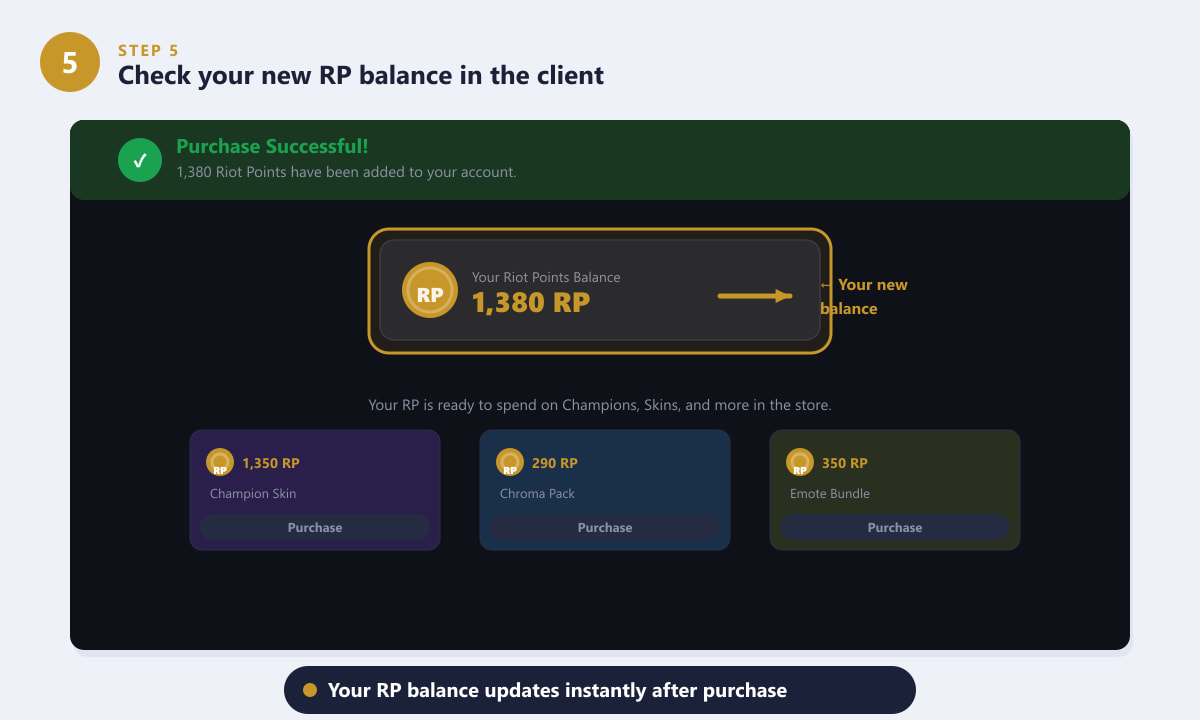
Your RP balance updates instantly and is ready to spend as soon as the payment confirms.
Tips for getting the best value
- Buy bigger bundles when possible. Riot scales the RP slightly with bundle size, so you get more points per Euro at higher tiers. If you are planning multiple purchases in the same patch, buying a larger bundle in one go is more efficient than buying several small ones.
- Watch for bonus RP events. Riot occasionally offers promotional bundles that include extra RP for a limited time. Keep an eye on the client home screen or Riot's social channels for any active deals before you buy.
- Use Paysafecard to manage spending. Paysafecard is a prepaid voucher available in supermarkets and convenience stores across Europe. It lets you set a fixed spending ceiling and requires no bank details, which is useful if you want to control how much you spend on the game.
- VAT is usually included. In most EU countries the price shown in the client already includes VAT, so there are no surprises at checkout. However, the displayed price can differ slightly between regions, so always check the final total before confirming.
- Gift cards make great presents. Official Riot Games gift cards are sold at major retailers and online. They come in fixed Euro denominations and are redeemed directly in the client during checkout — ideal for gifting to other players.
Troubleshooting common issues
My payment was declined
First check that your card supports international transactions and online purchases. Some banks block gaming-related transactions by default; a quick call to your bank or enabling online payments in your banking app usually resolves this. Alternatively, try PayPal or Paysafecard as a fallback payment method.
I paid but the RP did not appear
Log out of the client and log back in — the balance sometimes needs a refresh to display. If the RP still has not appeared after 15 minutes, check your email for a purchase confirmation. If you received a confirmation but no RP, contact Riot Games support with your order reference number; they typically resolve credit issues quickly.
The price I see is different from what I expected
RP prices can vary by country due to local VAT and regional pricing adjustments. The price shown in the client is always the final price for your account's region. If you see a different price cited on a third-party website, those figures may reflect a different country or an outdated bundle tier.
Frequently asked questions
How many Riot Points do I get for €10?
At the standard rate for most European regions, €10 yields approximately 1,380 Riot Points. The exact figure depends on your account's regional pricing; always check the in-client bundle screen for the current rate in your country.
Can I buy Riot Points with Euros on the Riot Games website?
Riot recommends purchasing RP directly through the League of Legends client, as this ensures the points are credited to the correct account instantly. Some regions do allow purchases through the Riot Games website using the same account login.
Do Riot Points expire?
No. Riot Points do not expire. Any RP you purchase stays in your account indefinitely, so there is no need to rush spending them after a purchase.
Can I transfer Riot Points between accounts?
No. Riot Points are tied to the account they were purchased on and cannot be transferred, refunded for cash, or gifted directly as raw RP. You can gift cosmetic content to friends as a gift through the in-client gifting system, but the RP itself stays on your account.
Are there cheaper ways to buy RP in Europe?
Riot Games does not officially sanction third-party resellers, and discounted RP codes found on unofficial sites carry a risk of being fraudulent or violating the terms of service. The safest and most reliable way to buy Riot Points is through the official in-client store or an authorised Riot Games gift card retailer.
Final thoughts
Converting Euros to Riot Points is a quick, five-step process you can complete entirely within the League of Legends client. Open the store, pick your bundle, choose a payment method, confirm your payment, and your new RP is ready to spend in seconds. For the most current bundle prices and any ongoing promotions, always check the in-client purchase screen, as Riot updates regional pricing periodically. To explore the full range of content available with your RP, visit the official League of Legends website.