Learning how to play Dota 2 looks intimidating, but the core of every match is surprisingly simple. Two teams of five players each control a single hero, fight across a shared map, and race to destroy the other team's base structure — the Ancient. This beginner's guide walks you through everything you need to start your first game with confidence: installing the game, reading the map, choosing a hero, the basic controls, buying items, and the one goal that decides who wins.
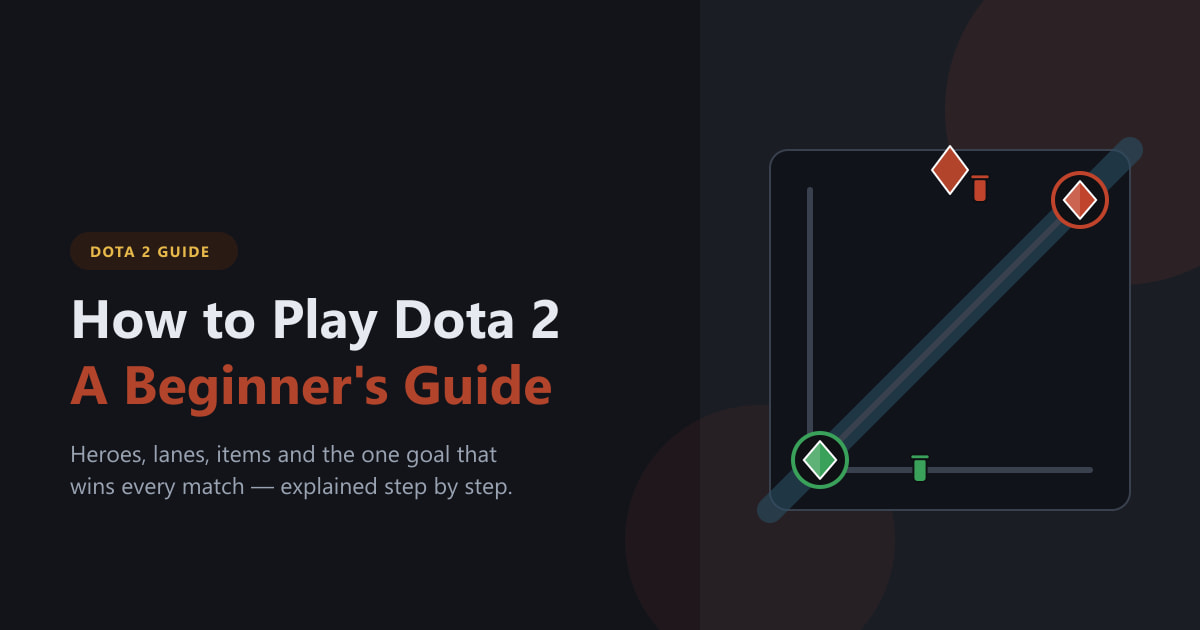
Dota 2 is a multiplayer online battle arena (MOBA) made by Valve. It is completely free to play, and every hero is unlocked from the start — you never pay to win. The matches are deep and competitive, but you only need a handful of fundamentals to get going.
What you need before you start
- A Steam account and the Steam client installed on Windows, macOS, or Linux.
- Around 40 GB of free disk space and a stable internet connection.
- A mouse and keyboard. Dota 2 is built for them; right-clicking to move is the heart of the controls.
- A little patience. Try the in-game tutorial and play a few bot matches before queuing against real opponents.
How to play Dota 2 step by step
-
Step 1: Download Dota 2 free on Steam
Install Steam first, then search the store for Dota 2 and click Play Game to add it to your library and download it. The game is free to play, so there is no purchase — just a download of around 40 GB. Once it finishes, launch it from your library and let it run the first-time setup.
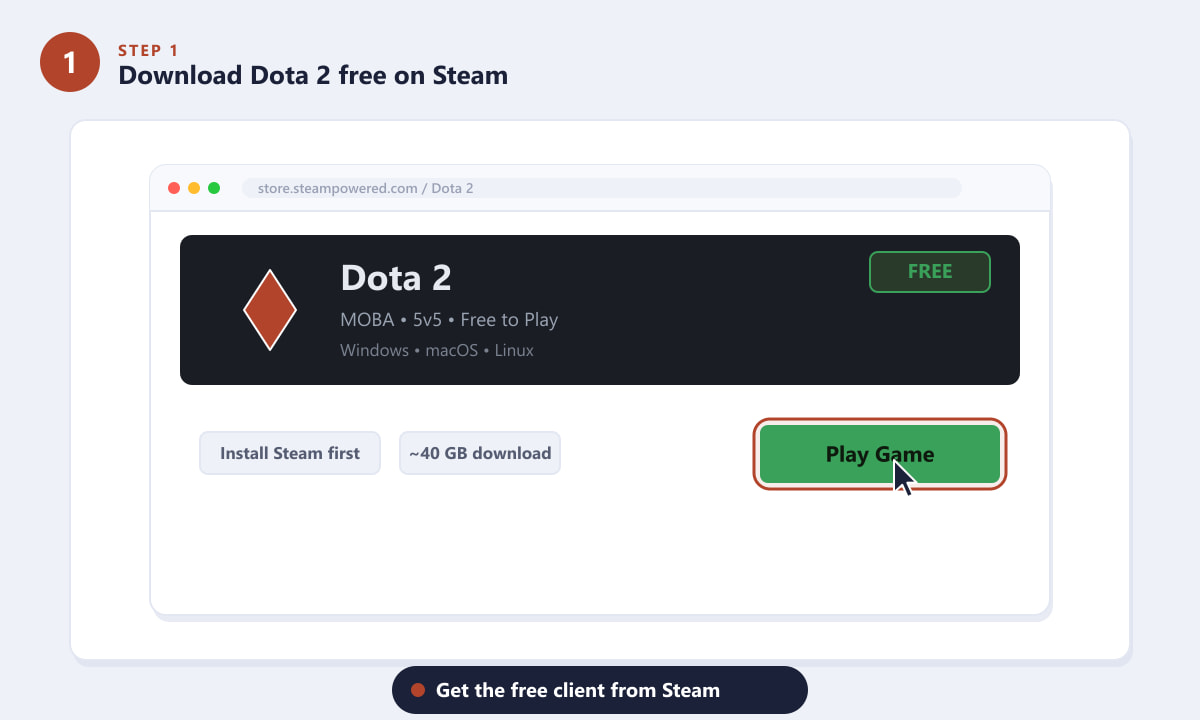
Dota 2 is free on Steam for Windows, macOS, and Linux — just click Play Game. -
Step 2: Learn the map and lanes
Every match is played on the same map. Your team starts in one corner (Radiant, bottom-left) and the enemy in the opposite corner (Dire, top-right). Three lanes — top, middle, and bottom — connect the two bases, separated by a jungle and a diagonal river. Each lane is defended by towers, and at the heart of each base sits the Ancient. Knowing where you are on this map is the first real skill in Dota 2.
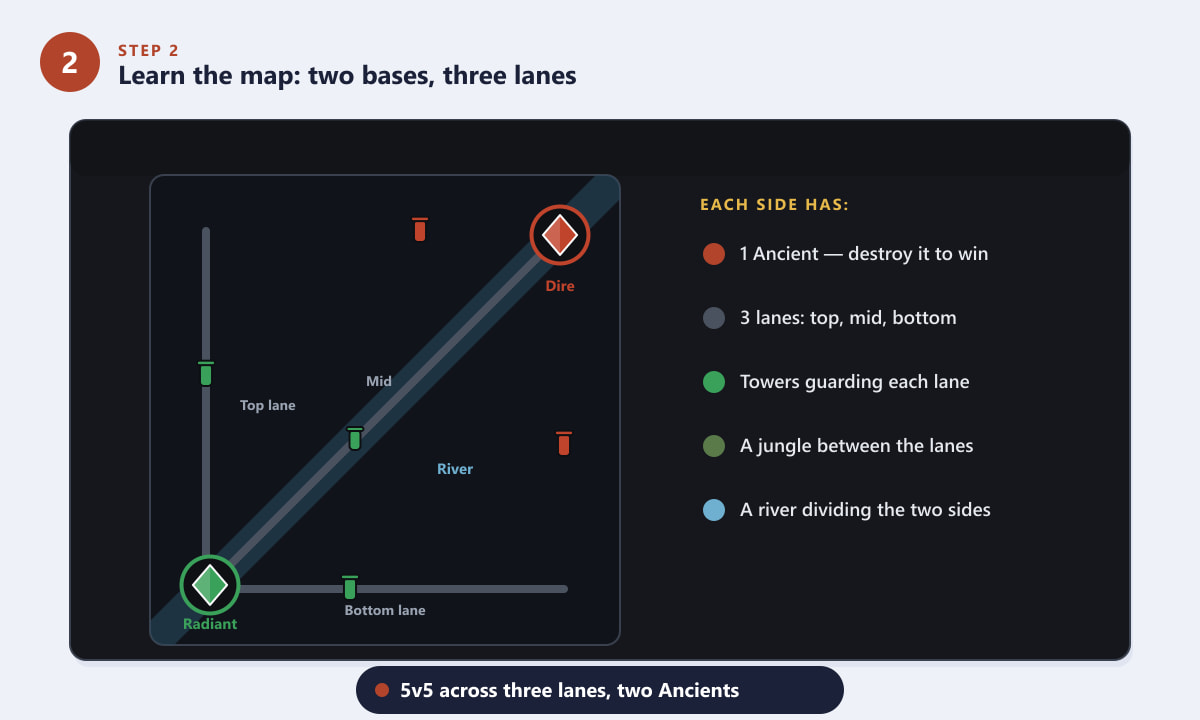
Two bases, three lanes, towers, a jungle, and a central river make up every Dota 2 match. -
Step 3: Pick a beginner-friendly hero
Dota 2 has over 120 heroes, each sorted by a primary attribute: Strength, Agility, Intelligence, or Universal. As a newcomer, start with something forgiving. Tanky Strength heroes such as Wraith King or Sven survive mistakes, while simple ranged carries like Sniper or Drow Ranger teach you positioning and last-hitting. Avoid complex heroes until you know the basics.
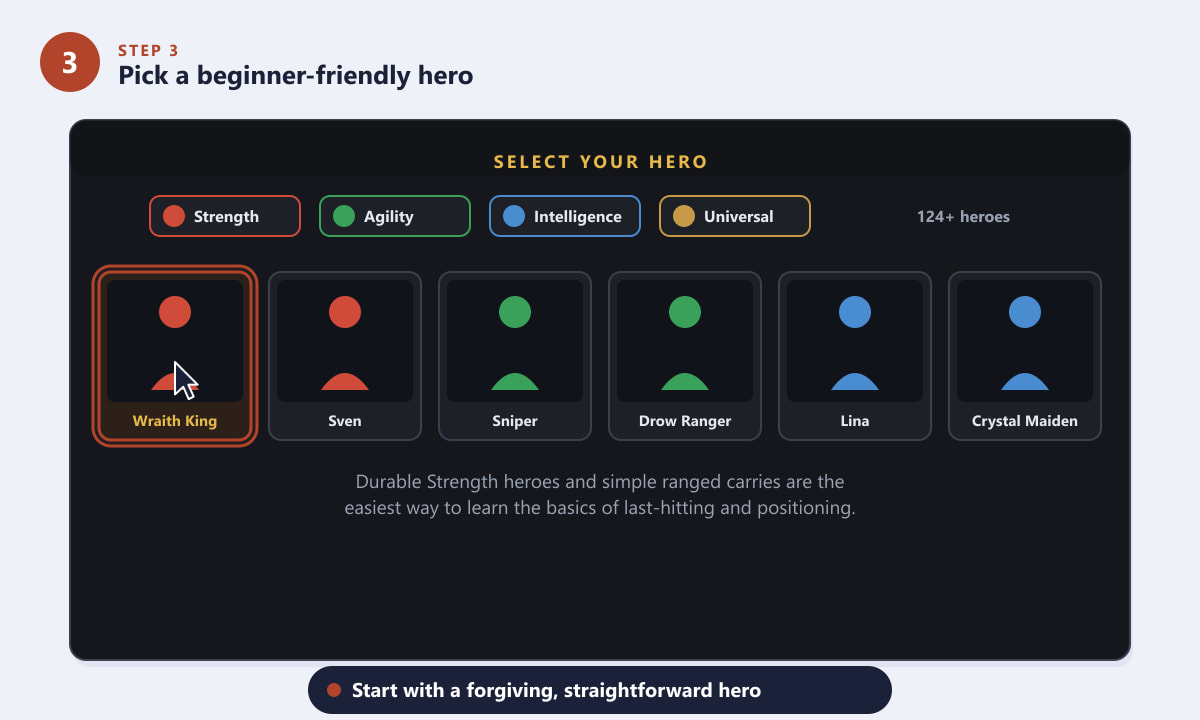
Pick a durable or straightforward hero so you can focus on learning the fundamentals. -
Step 4: Move, cast abilities, and last-hit creeps
You move your hero by right-clicking where you want to go, and attack enemies the same way. Your four abilities are cast with the Q, W, E, and R keys (R is usually your ultimate). The single most important early skill is last-hitting: landing the final blow on an enemy creep rewards you with gold. Gold and experience are how your hero grows, so practise timing your attacks to secure those kills.
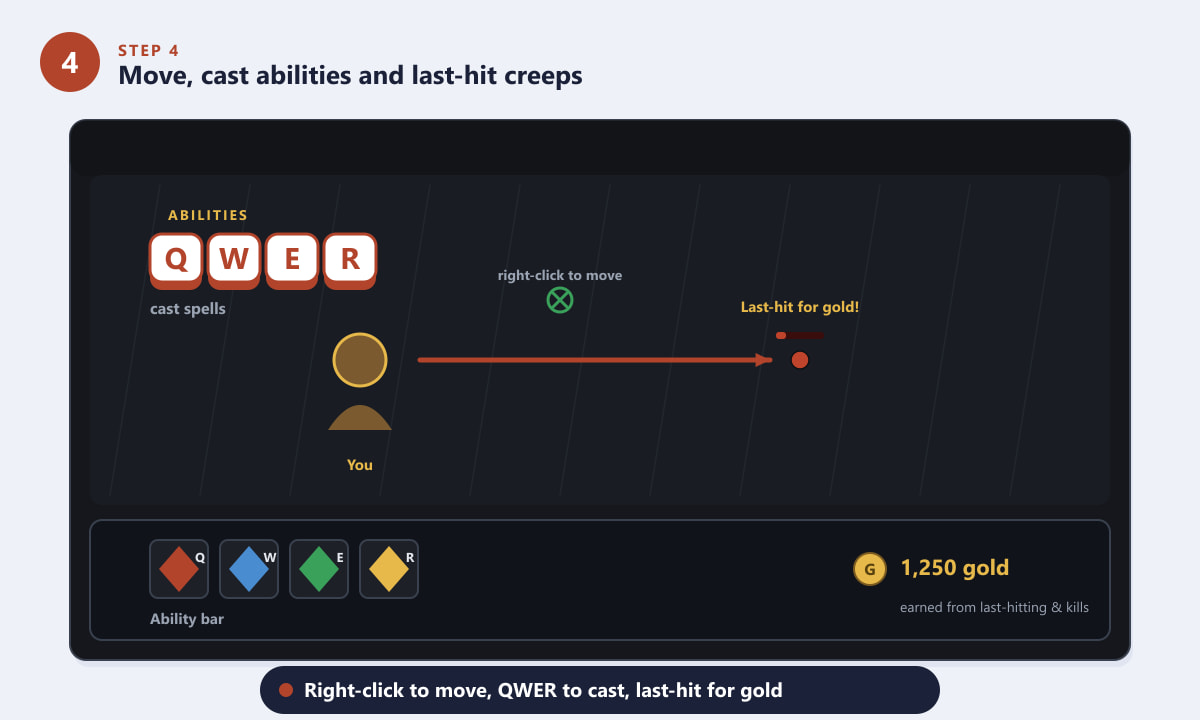
Right-click to move, use Q-W-E-R for abilities, and last-hit creeps to earn gold. -
Step 5: Spend your gold on items in the shop
Open the shop (it sits at the bottom of your screen near your base) and spend the gold you earn on items. Items make your hero stronger, faster, or more durable. A safe early buy is a pair of Boots of Speed for movement, plus cheap starting items like Tango, a Quelling Blade, or stat-boosting Bracers. You can shop from your fountain at the base, or anywhere on the map using a courier.
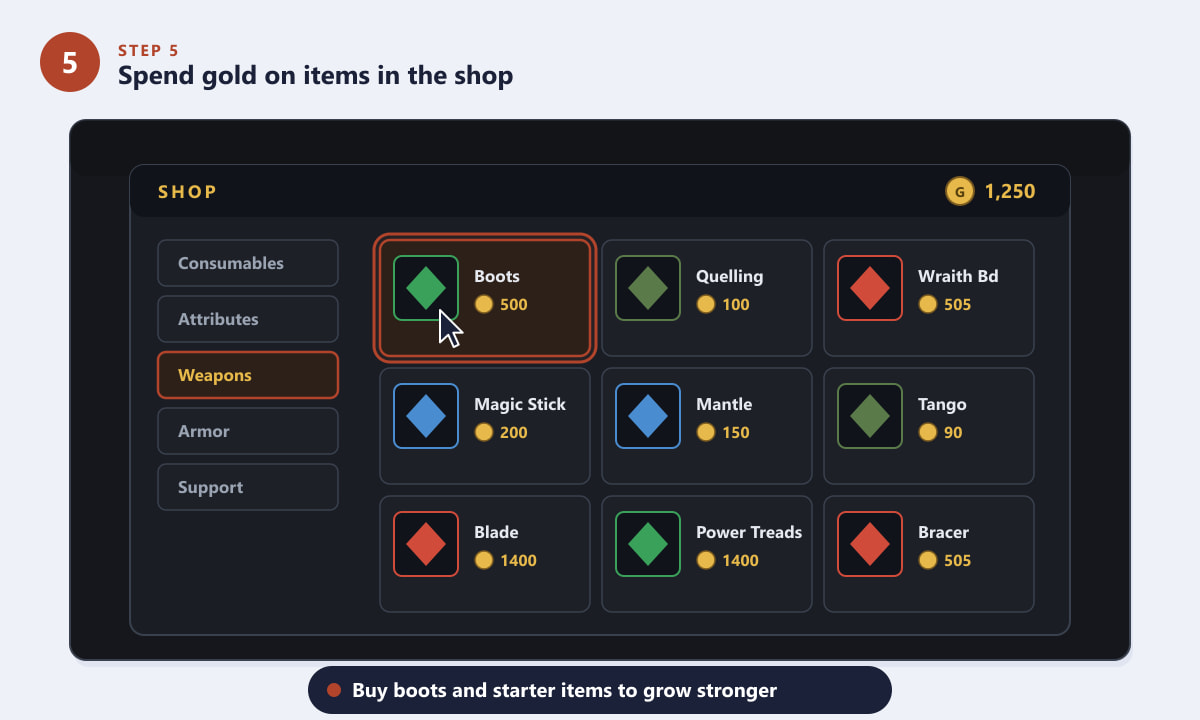
Use your gold in the shop to buy boots and starter items that build into bigger ones. -
Step 6: Push lanes and destroy the enemy Ancient
There is only one way to win: destroy the enemy Ancient. To reach it, your team must push down a lane, taking out the enemy towers and then their barracks along the way. Group up for team fights, secure objectives together, and march toward their base. When the Ancient falls, the game is over — and you have won your first match of Dota 2.
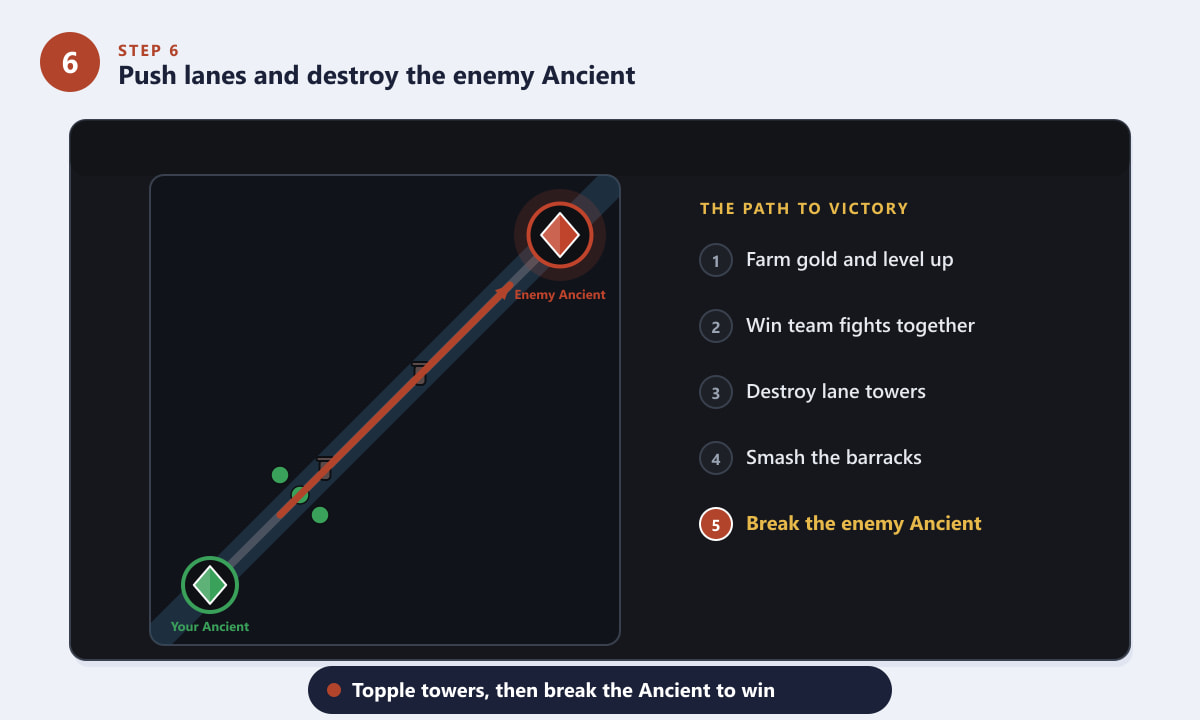
Topple towers and barracks down a lane, then break the enemy Ancient to win.
Beginner tips
- Play the tutorial and bot games first. They let you practise controls and last-hitting with zero pressure.
- Buy a Town Portal Scroll. Keeping a TP Scroll lets you teleport to defend a tower or join a fight quickly — pros always carry one.
- Stay near your creeps. Pushing too far ahead of your own creep wave leaves you exposed to ganks and tower fire.
- Buy and use Observer Wards. Vision wins games; placing wards in the river or jungle reveals incoming enemies.
- Don't feed. Dying gives the enemy gold, so play it safe when you're low on health and retreat to your tower.
Common beginner mistakes
I keep dying to enemy heroes
Stay closer to your tower and keep an eye on the minimap. If you can't see two or three enemies, assume they could be coming for you and play defensively. Carry a Town Portal Scroll so you can escape.
My hero feels weak and poor
You're probably missing last-hits. Focus on the gold-rewarding final blow on creeps rather than attacking constantly. More last-hits means more gold for items, which makes your hero stronger.
I don't know which items to buy
Use the in-game suggested items panel in the shop. It recommends solid choices for your chosen hero, which is perfect while you learn the item builds.
Frequently asked questions
Is Dota 2 free to play?
Yes. Dota 2 is completely free on Steam, and every hero is unlocked from the start. You can only spend money on cosmetic items that don't affect gameplay.
Is Dota 2 hard to learn for beginners?
It has a reputation for difficulty, but the core loop — farm gold, get items, push lanes, destroy the Ancient — is easy to grasp. Start with bot matches and a simple hero, and the mechanics come naturally with practice.
How long does a Dota 2 match last?
Most games run between 30 and 45 minutes, though they can end sooner or stretch past an hour. A match only ends when one team's Ancient is destroyed; there is no time limit.
Can I play Dota 2 with friends or against bots?
Yes. You can party up with friends and queue together, or practise privately against AI bots set to several difficulty levels, which is the best way to learn.
What is the goal of Dota 2?
The single objective is to destroy the enemy team's Ancient, a large structure in the center of their base, while protecting your own.
Final thoughts
That's the foundation of how to play Dota 2: install it for free, learn the map, pick a friendly hero, master right-click movement and last-hitting, buy items with your gold, and push toward the enemy Ancient. The depth comes later, but those fundamentals will carry you through your first dozen games. When you're ready for more, the official Dota 2 website has the full hero roster and patch notes. Good luck on the battlefield, hero.