Switching characters in GTA 5 is one of the most satisfying things you can do in Story Mode — and once you know the shortcut it takes just a second. Whether you want to jump into a heist as Michael, cruise Los Santos with Franklin, or cause chaos as Trevor, this guide explains exactly how the character-switch system works on PC, PlayStation, and Xbox.
What you need to know first
Character switching is only available in GTA 5 Story Mode — it does not exist in GTA Online, where you play a single custom character. In Story Mode, each of the three protagonists unlocks as you progress through the main story: Michael is available from the very start, Franklin joins after the opening missions, and Trevor becomes playable roughly a third of the way through the story (Chapter 3). Once a character is unlocked, you can switch to them at any point you are not in a mission or cutscene.
How to switch characters in GTA 5
-
Step 1: Open the Character Wheel
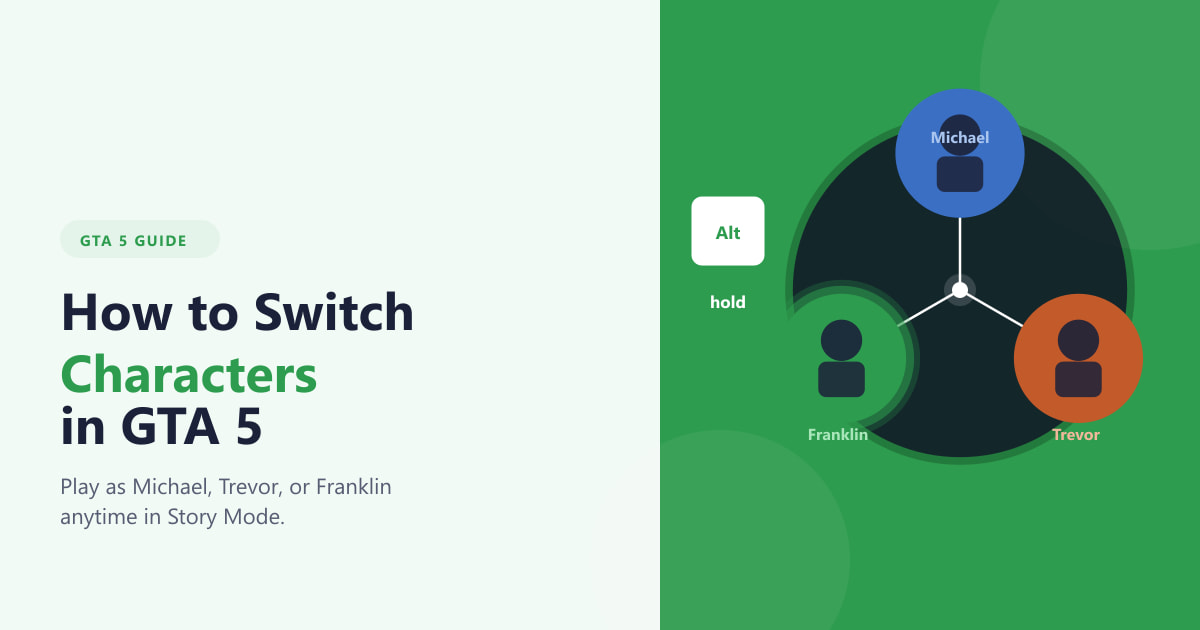
While free-roaming (not during a mission), hold the Alt key on PC or hold D-Pad Down on a PlayStation or Xbox controller. A circular character-selection wheel appears on screen, showing the unlocked protagonists arranged around a central hub — Michael at the top, Trevor to the right, and Franklin to the lower left.
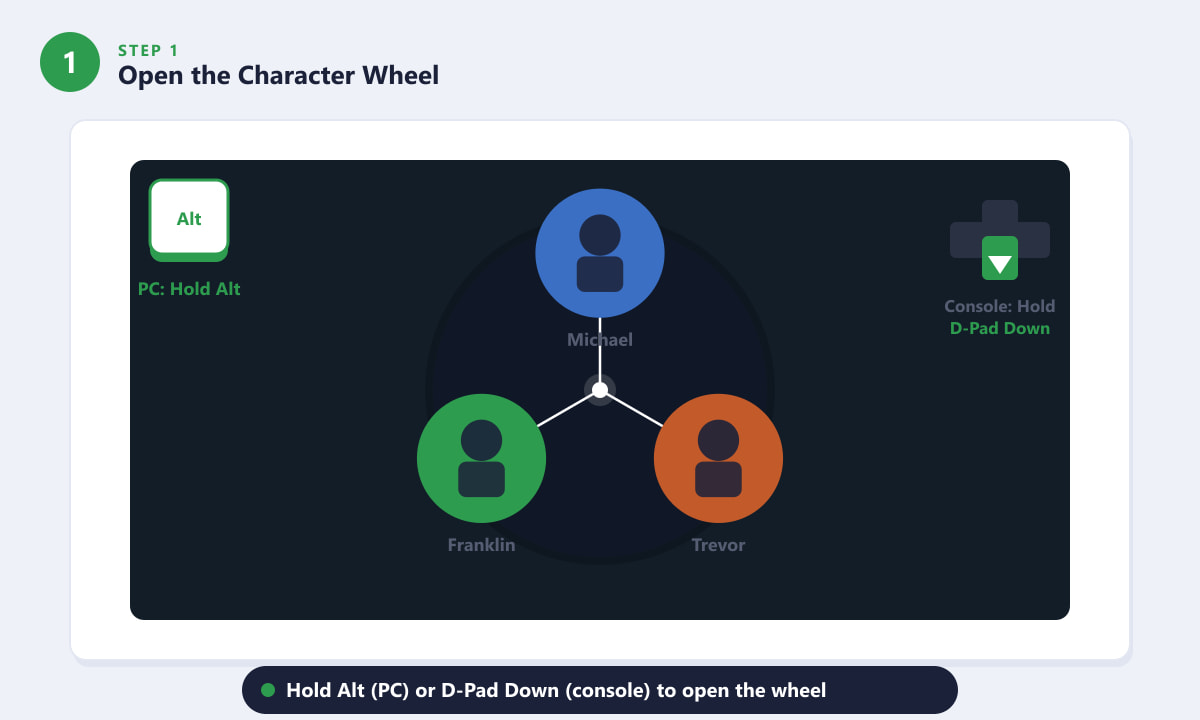
Hold Alt (PC) or D-Pad Down (console) to bring up the three-character selection wheel. -
Step 2: Highlight the Character You Want
While keeping the key or button held, move your mouse (PC) or push the right analogue stick (console) toward the character you want to switch to. The selected character's portrait will glow to confirm your choice. Take your time — the wheel stays open as long as you hold the trigger.
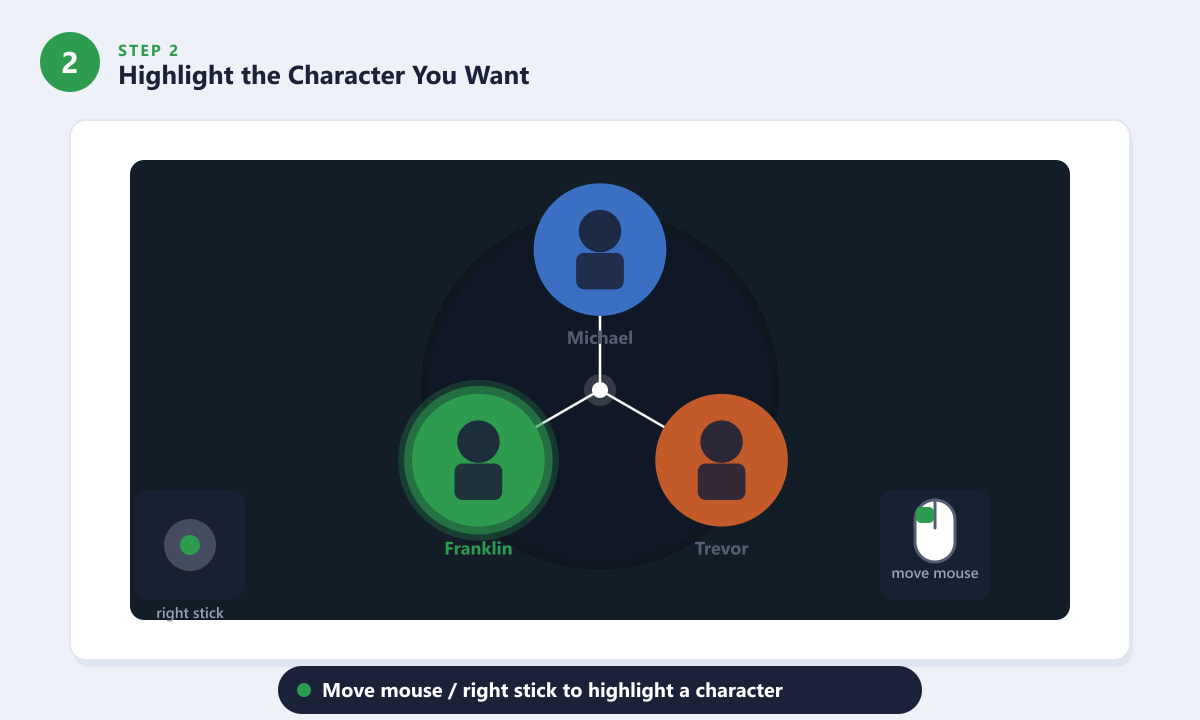
Move your mouse or right stick toward the character you want — a green glow confirms the selection. -
Step 3: Release to Confirm the Switch
Once the correct character is highlighted, let go of the Alt key (PC) or release D-Pad Down (console). GTA 5 instantly registers your choice and begins the cinematic transition to that character. If you change your mind, just keep holding and move the cursor to a different character before releasing.
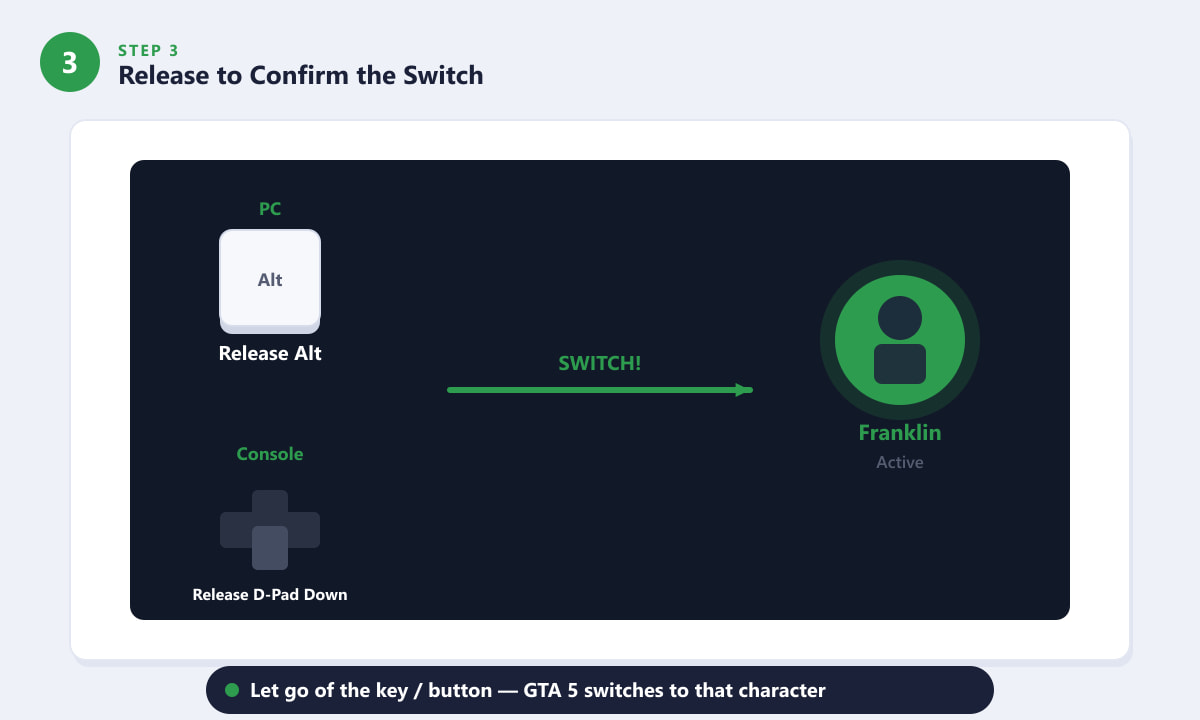
Release the key or button and GTA 5 switches you to the chosen character. -
Step 4: Wait for the Cinematic Transition
After you release, the game plays a short aerial camera flyover that sweeps from your current character's location across Los Santos to wherever the new character is at that moment. This takes between two and five seconds depending on how far apart they are. When the camera lands, you are in full control of the new character — their stats, weapons, vehicles, and current location are all preserved exactly as they were when you last played as them.
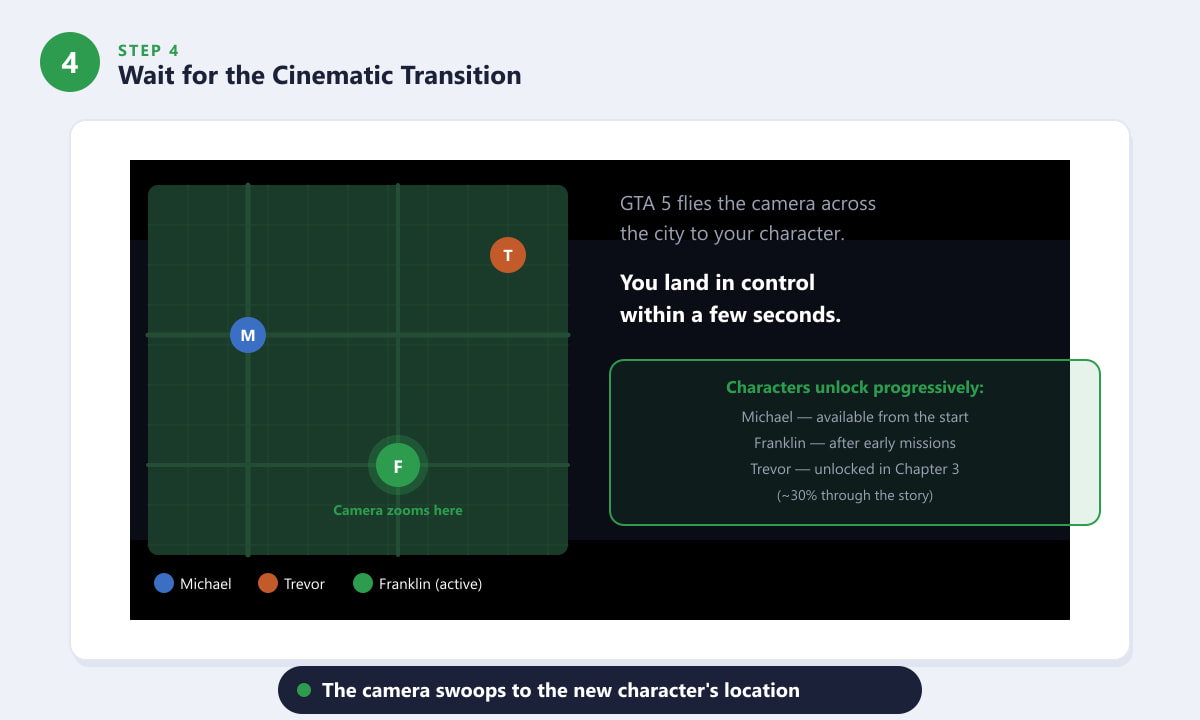
The camera sweeps across Los Santos to your chosen character, who may be doing something unexpected when you arrive.
Tips for switching characters
- You cannot switch during missions. The character wheel is greyed out while a mission is active. Finish or fail the mission first, then switch freely.
- Characters live their own lives. When you are not controlling a character, GTA 5 simulates them going about their day. You might find Michael watching TV, Trevor sleeping rough, or Franklin training at the gym when you switch back.
- Switch quickly with the keyboard number row (PC). Tapping 1, 2, or 3 on the keyboard instantly switches to Michael, Franklin, or Trevor respectively without needing the wheel — useful for quick back-and-forth swapping.
- The wheel is also on the phone button (mobile/tablet versions). Rockstar's GTA versions on mobile have the same mechanic via an on-screen button.
- Don't switch into a firefight. If a character is in a wanted situation or a dangerous area, you'll land in the middle of it. GTA 5 sometimes warns you with a small skull icon on the wheel segment.
Troubleshooting
The character wheel is not opening
Make sure you are in free roam and not in an active mission, cutscene, or arrest sequence. Also confirm the key bind hasn't been changed — you can check and reset it in Settings > Key Bindings (PC). On console, verify the D-Pad Down button is not remapped.
One of the characters is missing from the wheel
That character has not been unlocked yet. Franklin is playable after the first few missions and Trevor joins the cast in Chapter 3, after a major story revelation. Continue the main storyline to unlock them.
The switch hangs or loads for a very long time
This can happen if the game is loading the new character's area from disk. On older hard drives or consoles without an SSD, switching to Trevor (who often spawns far from the city) can take longer. Try saving the game and reloading to reset spawn locations closer to the city center.
Frequently asked questions
How do you switch characters in GTA 5 on PC?
Hold the Alt key to open the character wheel, move your mouse to highlight the character you want, and then release Alt. You can also tap 1, 2, or 3 on the number row to switch directly to Michael, Franklin, or Trevor without using the wheel.
How do you switch characters in GTA 5 on PS4 or PS5?
Hold D-Pad Down to open the character wheel, then use the right analogue stick to select the character and release D-Pad Down to confirm. The controls are the same on both PlayStation generations.
Can you switch characters in GTA Online?
No. GTA Online uses a single custom character per account. The character wheel is exclusive to GTA 5 Story Mode where you control Michael, Franklin, and Trevor.
Why can't I switch to Trevor in GTA 5?
Trevor only becomes playable after a specific story event in Chapter 3, roughly one third of the way through the main missions. Until then his portrait appears on the wheel but cannot be selected.
Is there a quick way to switch without the wheel?
Yes, on PC you can tap the 1, 2, and 3 keys for an instant switch to Michael, Franklin, and Trevor respectively. On console there is no equivalent shortcut — you must use the wheel.
Final thoughts
Switching characters in GTA 5 is a core part of what makes the game feel alive — each protagonist has their own story going on even when you are not watching. The mechanic is simple once you know it: hold the trigger, aim at the portrait, release. For the full GTA 5 story and the latest updates, visit the official Rockstar Games GTA V page.