Home
» 🎮 Esports
»
G2 Esports vs. Dplus KIA: Worlds 2026 Swiss Round 1 Result
G2 Esports vs. Dplus KIA: Worlds 2026 Swiss Round 1 Result
Updated October 24, 2026: Dplus KIA defeated G2 Esports 1–0 in their opening match of the Worlds 2026 Swiss Stage. Riot’s official Swiss bracket now records the completed result: G2 0, Dplus KIA 1. The teams met on Friday, October 23, with the fixture scheduled for 21:00 UTC, or 4:00 p.m. Central Daylight Time (CDT, UTC−05:00) in Allen, Texas.
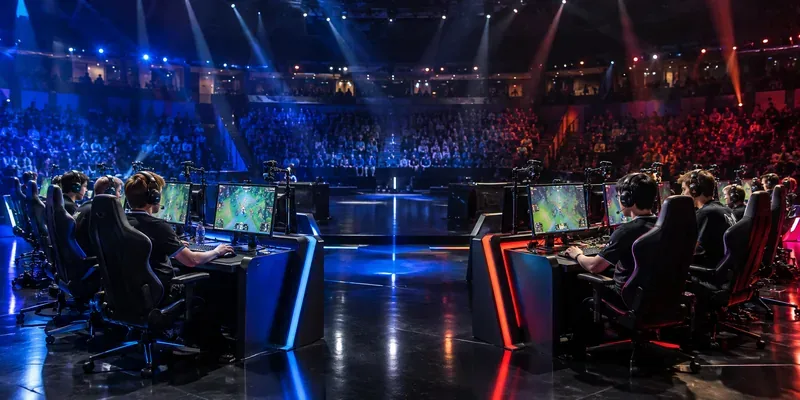
A general esports stage scene; it does not depict the G2 Esports–Dplus KIA match.
G2 Esports vs. Dplus KIA: confirmed result
Event
2026 League of Legends World Championship
Stage and round
Swiss Stage, Round 1
Result
G2 Esports 0–1 Dplus KIA; Dplus KIA won
Match date and scheduled start
Friday, October 23, 2026, at 4:00 p.m. in Allen, Texas (CDT, UTC−05:00) / 21:00 UTC
Venue
Credit Union of Texas Event Center, Allen, Texas, United States
Format
Best of one (Bo1)
Round 1 records
Dplus KIA 1–0; G2 Esports 0–1
Riot’s Worlds Swiss bracket lists the score under Round 1. This replaces the earlier scheduled-match status: the fixture is complete, and the official bracket confirms Dplus KIA as the winner. The result is a single game, not a multi-game series score. The page currently displays the team result and does not show a separate match-specific starting-five panel, so this update does not treat general team roster listings as confirmed starters.
What the result means in the Swiss Stage
The opening loss leaves G2 at 0–1, while Dplus KIA begins the stage at 1–0. Those records shape the teams’ next opponent pools, but neither team is eliminated by this result. Riot’s Worlds 2026 primer describes a five-round Swiss Stage: a team must earn three wins to advance to the Knockout Stage, while three losses end its tournament run. Round 1 therefore sets an early direction without deciding either team’s overall fate.
From Round 2 through Round 5, teams are paired with opponents carrying the same record. In practical terms, Dplus KIA moves into the 1–0 group and G2 into the 0–1 group. Riot’s published format also says teams will not meet the same opponent twice during Swiss. The bracket has not yet confirmed the next opponent for either team, so naming a Round 2 matchup before Riot posts it would be premature.
The structure makes every result relevant, but the consequences become more direct as records accumulate. A team that reaches 2–0 is one win from qualification; a team at 0–2 is one loss from elimination. Those are format implications, not predictions about either club’s later games. The confirmed facts for this fixture are narrower: Dplus KIA won the opener and holds the better starting record after Round 1.
Why G2 and Dplus KIA met in Round 1
G2 represents the LEC, the EMEA league, and Dplus KIA represents the LCK in Korea. Riot’s primer placed G2 in the first draw tier and Dplus KIA in the fourth. For the opening round, the published draw rules pair Tier 1 teams with Tier 4 teams and prevent teams from the same region from meeting. Their matchup therefore followed the tournament’s initial pairing structure.
The result has a straightforward regional and standings context: the LCK representative took the first point, while the LEC representative must now work through the 0–1 pool. That does not settle which region will perform better across the event, and one game should not be used to draw conclusions about the rest of Worlds. Swiss play continues with new pairings based on the records earned on the server.
Format and match timing
This Round 1 game was a best-of-one, meaning the winner was determined by one game. Riot’s match schedule labels the Worlds Swiss fixtures as Bo1 for the opening round. A Bo1 offers no second game in which a team can revise its approach after seeing the first result, but the final score alone does not describe the draft, pace, or turning points of this particular game. Those details should only be added when supported by an official match record or a reliable game report.
The scheduled start was 21:00 UTC on Friday, October 23. Allen, Texas was observing Central Daylight Time on that date, making the corresponding time 4:00 p.m. CDT (UTC−05:00). The U.S. National Institute of Standards and Technology lists the 2026 daylight-saving period as ending on November 1, so Central Standard Time (UTC−06:00) would be the wrong label for this October fixture. Riot’s venue guidance identifies the Credit Union of Texas Event Center in Allen as the site for the Swiss Stage.
Lineup reporting and official updates
Riot’s public bracket confirms the two teams, the Round 1 placement, and the final score. It does not identify individual starters in the bracket view used for this update. A team’s public roster page can help identify players associated with an organization, but it is not, by itself, proof that each listed player started this specific game. For that reason, no match-day lineup is presented here as confirmed.
Confirmed final: Dplus KIA 1, G2 Esports 0. Dplus KIA leaves the opening Swiss pairing at 1–0; G2 starts Round 2 at 0–1. Check Riot’s bracket for the next officially posted opponent rather than inferring it from the opening draw.